

Most “Claude prompts” roundups are really just ChatGPT prompt lists with the word swapped out, or they’re stuffed with outdated advice about tricks that used to matter and don’t anymore. I’ve been using Claude for actual daily work — writing, research, planning, the unglamorous stuff — and kept a running list of the prompts that earned a permanent spot.
Below are 50+ of them, sorted by what you’re actually trying to get done, plus a short section on which Claude-specific techniques (XML formatting, “thinking” tags) genuinely still help in 2026 and which ones are leftover advice from an older version of the model. No sign-up wall, no fake statistics — just prompts you can paste in today.
What Actually Makes a Good Claude Prompt (The Claude Engineering Basics)
Claude responds a little differently than other AI tools, and a few habits make a real difference before you even get to specific prompts. Think of this as the short version of Claude engineering — not a formal discipline, just the handful of things that consistently change whether a prompt works on the first try or the third.
Claude XML Formatting: When It’s Worth the Extra Syntax
Claude was trained to pay close attention to XML-style tags, and Anthropic’s own prompting guidance still recommends them for anything with multiple parts. For a quick question, plain text is fine. For something with several moving pieces, wrapping each part in a tag keeps Claude from blending instructions together:
<task>Write a product description for this item</task> <audience>First-time buyers who’ve never used this category of product</audience>
<tone>Friendly, not salesy</tone>
<must_include>Return policy and shipping time</must_include>
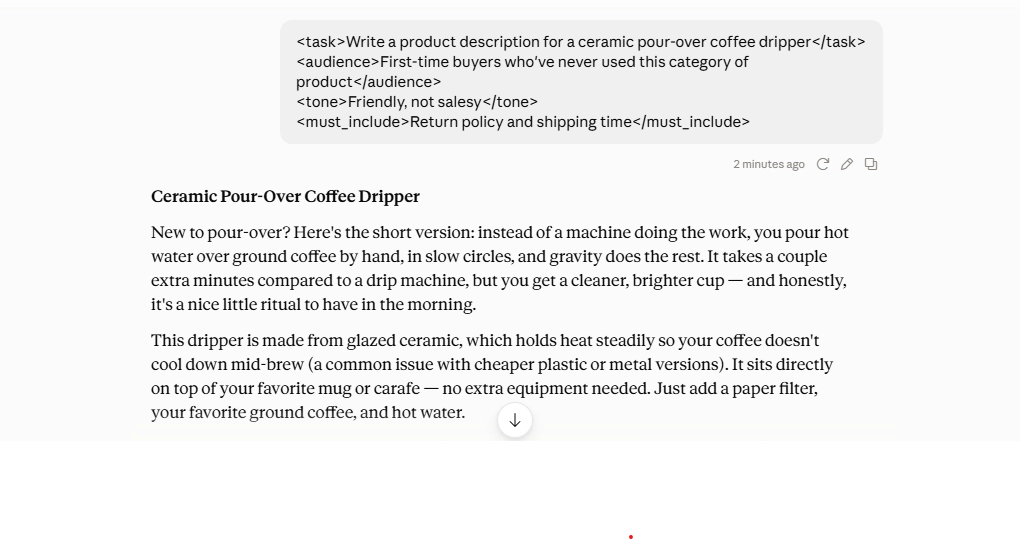
You don’t need to memorize a tag vocabulary. Just wrap each distinct instruction — the task, the audience, the constraints — in a tag that describes what it is.
Do You Still Need “Thinking” Tags?
This is where a lot of Claude prompt guides are behind. Older advice tells you to add
<thinking> tags so Claude “shows its work” before answering, with claims of dramatically better accuracy. Current Claude models already do a version of this automatically — they calibrate how much internal reasoning to apply based on how hard the question actually is, without you asking for it.
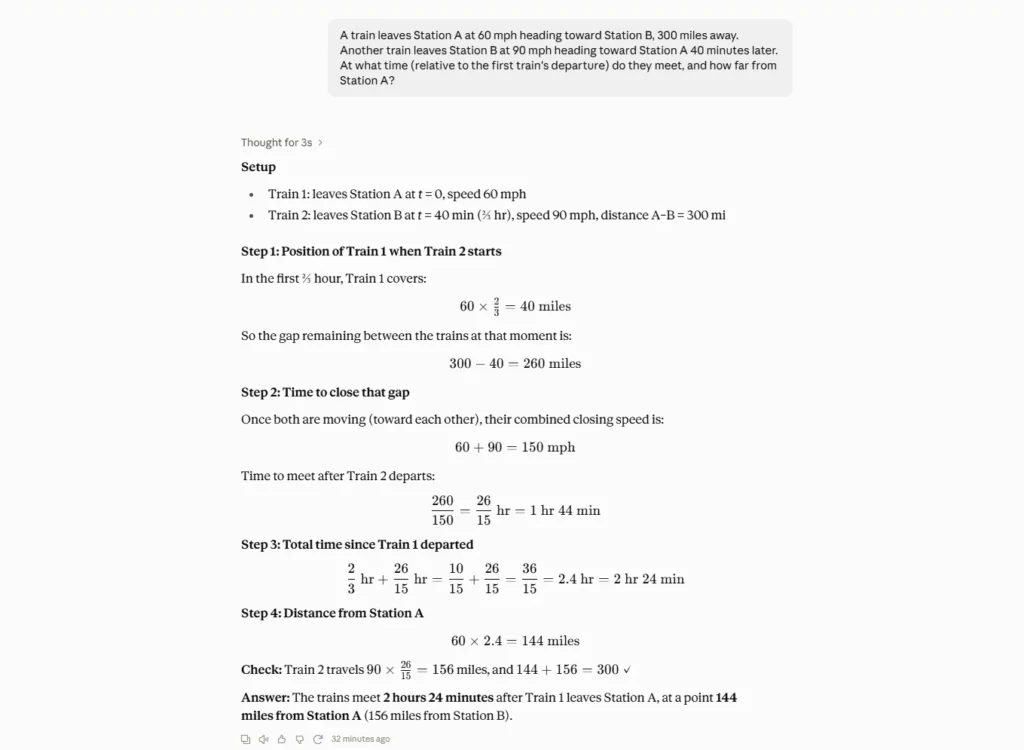
That doesn’t make the old technique useless. Anthropic’s own current guidance is that explicit step-by-step prompting and the model’s built-in reasoning are complementary, not one replacing the other — for a genuinely gnarly problem, it can still help to ask Claude to reason through it before giving a final answer:
Think through this problem step by step before answering: [your problem]
For everyday prompts — emails, summaries, quick edits — you can skip this. Save it for the questions where you’d actually want to check Claude’s reasoning yourself.
Tell Claude What TO Do, Not What to Avoid
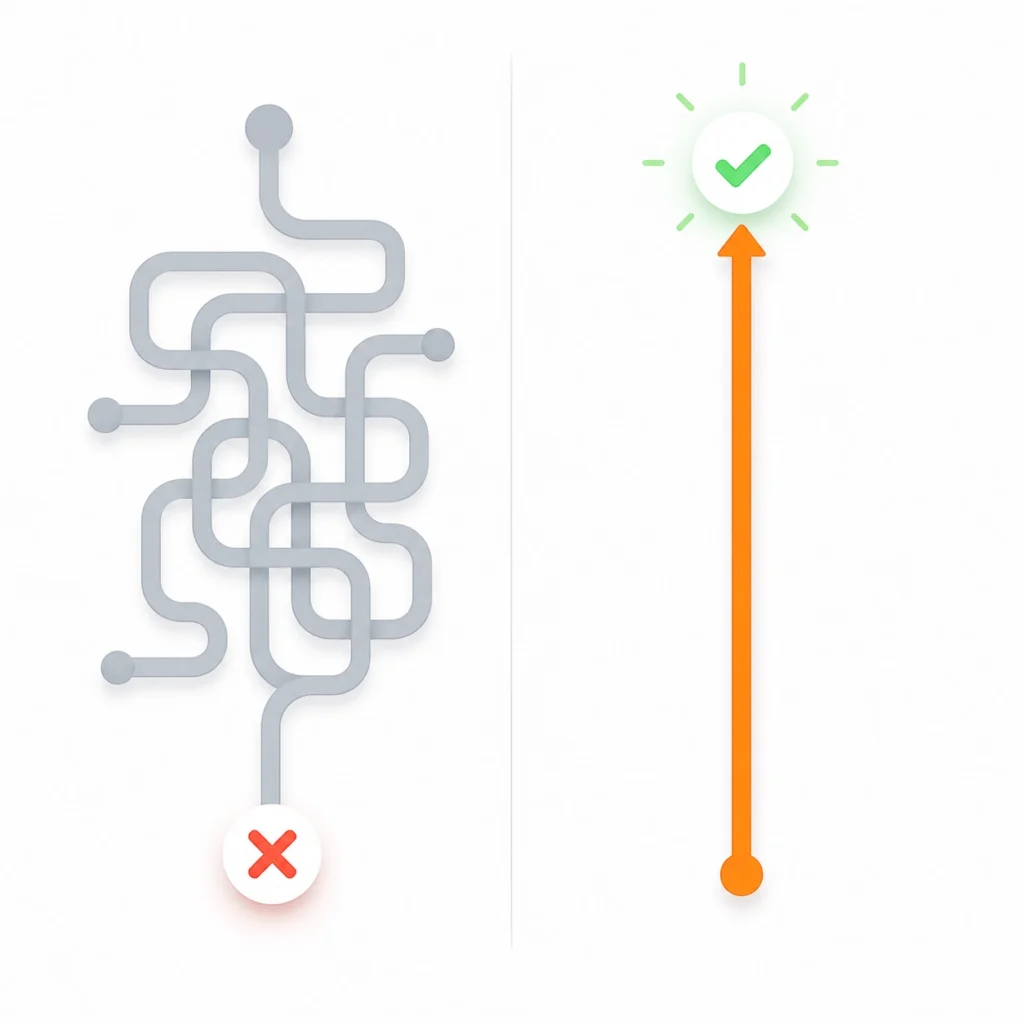
One habit that’s easy to miss: Claude follows positive instructions more reliably than negative ones. “Don’t use bullet points” tends to work less consistently than “write this as flowing paragraphs.” If you keep getting a format you didn’t ask for, try rephrasing the instruction as what you do want instead of what you’re trying to avoid — it’s a small change that fixes a surprising number of formatting complaints.
[Internal link opportunity: your Claude prompting techniques deep-dive or Claude vs. ChatGPT prompting comparison]
Now, the list.

Best Claude Prompts for Writing and Editing
- Rewrite this email so it sounds warmer without losing the point: [paste email]
- Turn these rough notes into one clear paragraph: [paste notes]
- Give me three different openings for this piece, each a different angle: [paste topic]
- Tighten this paragraph without cutting any of the actual information: [paste text]
- Read this draft and tell me honestly where it drags: [paste draft]
- Rewrite this in plain English, no jargon: [paste text]
- Turn this list of updates into a short narrative summary: [paste list]
- Suggest a stronger closing line for this piece: [paste draft]
- Match this text to a more formal tone without changing the meaning: [paste text]
- Proofread this for grammar and awkward phrasing only — leave the style alone: [paste text]
- Give me five subject line options for this email: [paste email]
- Turn this technical explanation into something a non-expert could follow: [paste text]
- Combine these two paragraphs into one that flows naturally: [paste both]
- Suggest a better title based on what this piece actually says: [paste draft]
- Rewrite this so it sounds like me, based on this sample of my past writing: [paste sample + text]
Best Claude Prompts for Work and Productivity
- Turn this list of things I need to do into a prioritized plan for today.
- Summarize this thread and tell me what actually needs a reply: [paste thread]
- Draft a short status update for my manager based on these notes: [paste notes]
- Help me write a message declining this request without over-explaining: [describe] Turn these meeting notes into action items with clear owners: [paste notes] Write an agenda for a 30-minute meeting about [topic].
- Draft a polite reminder for someone who hasn’t replied to my last message.
- Summarize this document into the three things I actually need to know: [paste doc]
- Help me plan my week around these deadlines: [list deadlines]
- Turn this complaint into a calm, professional response: [paste complaint] Draft an out-of-office reply that doesn’t sound like a form letter.
- Give me three ways to phrase this request so it doesn’t sound demanding: [paste request] Turn this messy brain dump into an organized checklist: [paste notes]
- Draft a short recap I can post in a team channel at the end of the day.
- Help me write talking points for a 5-minute update, no more than 5 bullets.
[Internal link opportunity: your guide to using Claude Projects for recurring work]
Best Claude Prompts for Research and Analysis
This is where Claude’s large context window earns its keep — you can paste in a full report, a long transcript, or several documents at once instead of summarizing them yourself first and hoping you didn’t lose anything important along the way.
- Read this report and pull out the three most important findings: [paste report]
- Compare these two documents and tell me what’s actually different: [paste both]
- Summarize this article in a way I could repeat to a coworker in 30 seconds: [paste article]
- Go through these notes and flag anything that contradicts something else: [paste notes]
- Explain this data in plain language, then tell me what you’d ask next: [paste data]
- Read this contract and flag anything unusual before I sign it: [paste contract]
- Pull every action item mentioned anywhere in this document: [paste doc]
- Compare these options side by side on cost, time, and risk: [describe options]
- Read this transcript and summarize only what was actually decided: [paste transcript]
- Look at this feedback and group it into themes: [paste feedback]
- Explain the strongest argument on each side of this issue: [topic]
- Turn this raw research into a one-page summary I can share: [paste research]
- Point out anything in this document that seems incomplete or missing: [paste doc]
Best Claude Prompts for Planning and Decisions
- Help me think through the pros and cons of [decision] before I commit.
- Turn this vague goal into three concrete first steps.
- Play devil’s advocate on this plan and tell me what could go wrong: [paste plan] Help me build a simple timeline for [project], working backward from the deadline. Give me a second opinion on this decision, and don’t just agree with me: [describe] Break this big goal into monthly milestones for the next quarter.
- Help me figure out what I’m actually avoiding by procrastinating on [task].
- Compare doing this myself versus outsourcing it, and be honest about the trade-offs.
- Turn this problem into three possible approaches, with the trade-offs of each.
- Ask me the questions I should be answering before I start this project.
- Help me write a short brief someone else could use to finish this task.
Building a Free Claude Prompt Library (No Extra Tools Needed)
You don’t need a separate prompt-engineering tool or a paid prompt library subscription to keep this organized. The most reliable free option is the one already sitting in front of you.
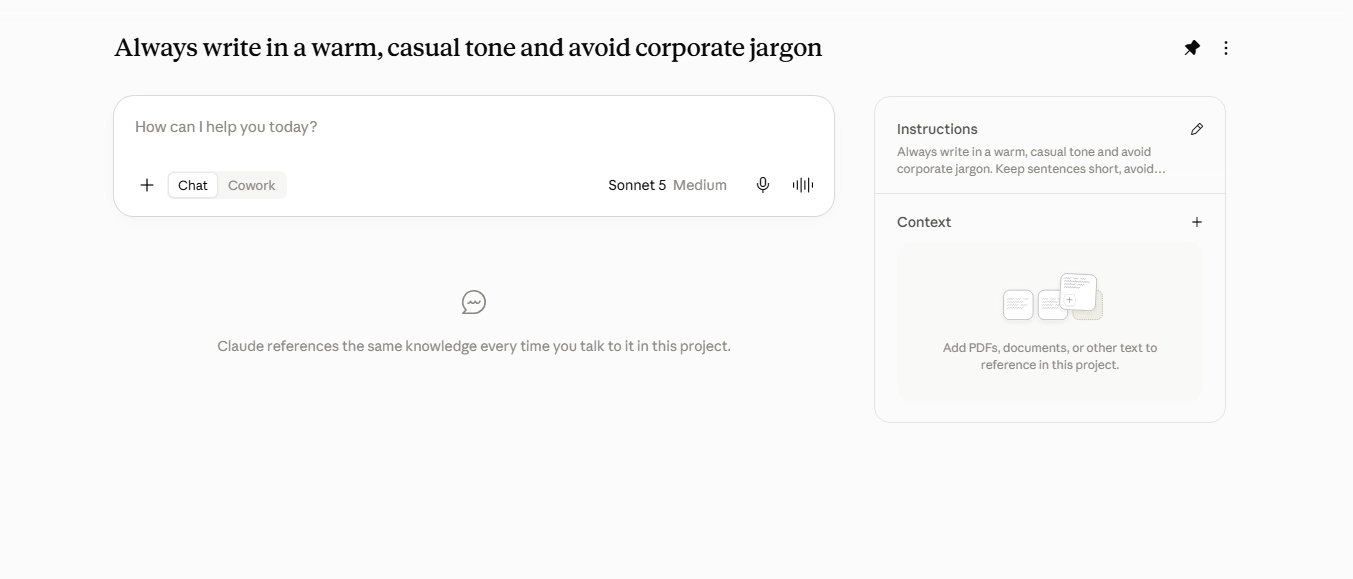
A plain notes document works, but Claude’s own Projects feature is a better fit if you’re already using Claude for work — you can save your go-to prompts, house style, or recurring instructions once, and reuse that context across every conversation inside the project instead of re-explaining yourself each time. That alone replaces most of what third-party “AI optimizer” tools are trying to sell you.
If you want something more structured, a simple spreadsheet with two columns — what the prompt does, and the prompt itself — is enough. The goal isn’t a fancy system. It’s having 10–15 prompts you actually reuse, instead of scrolling back through old chats trying to remember how you phrased something that worked.
One habit worth building alongside the library itself: when a prompt works unusually well, save it immediately, not “later.” The version of a prompt that got you a genuinely good result is easy to lose track of once you’ve moved on to the next task, and rewriting it from memory rarely gets you the exact same phrasing that worked the first time.
Frequently Asked Questions
Do I need to use XML tags with Claude? No, but they help for anything with multiple parts. For a simple one-line request, plain text works fine. Once you’re combining a task, tone, audience, and specific requirements in one prompt, wrapping each part in a tag keeps Claude from mixing them up.
Should I still add “thinking” tags to my Claude prompts? Not for most everyday prompts — current Claude models already reason more on harder questions automatically. It can still help for genuinely complex problems, where asking Claude to work through its reasoning before answering gives you a chance to check its logic, but it’s no longer a required trick for good answers.
What’s the difference between prompting Claude and prompting ChatGPT? Claude tends to follow multi-part, structured instructions closely and handles long documents well, so prompts with clear sections (via XML or just clear paragraphs) tend to pay off more. Claude is also generally more willing to push back or flag a weak argument if you ask for honest feedback rather than agreement. Beyond that, most solid prompting habits — being specific, giving context, asking for a format — transfer between the two.
How long can a Claude prompt actually be? Long. Claude’s context window is large enough to hold lengthy documents, reports, or even multiple files in a single conversation, which is why research and analysis prompts above lean on pasting full documents rather than summaries you’ve already written yourself. Exact limits vary by plan and model, so if you’re working with something unusually long, it’s worth checking your current plan’s specifics before you paste in a 300-page file and hope for the best.
Is there a free way to build a Claude prompt library? Yes. Claude’s free plan is enough to use every prompt in this article, and a Claude Project or even a plain document is enough to store your favorites — you don’t need a paid third-party tool or a “prompt engineering” subscription to keep this organized.
You don’t need all 50-plus of these in rotation. Skim the categories, save the handful that match what you actually do every week, and let the rest sit here for when you need them. The techniques matter more than the templates anyway — a specific, well-structured prompt beats a clever one every time, with or without an XML tag.
Try three or four of these on real work today instead of a test question. That’s the fastest way to find out which ones make it into your own permanent list, and which ones you were never actually going to use again after the first try.
Have a Claude prompt you’d add to this one? [Insert your preferred CTA here — comments, email reply, or a link to your own prompt library.]