Google Gemini Review 2026: Should You Switch From ChatGPT?

Google Gemini has changed so quickly that some reviews written only a few months ago already feel dated. Models have changed, Google has reworked its paid plans, new agent-style features have appeared, and Gemini is becoming much more deeply connected to the Google products people already use.
That makes the real question less about whether Gemini is “good.” It clearly is. The more useful question is whether Gemini is good enough to replace ChatGPT, Claude, or whichever AI assistant you currently rely on.
For this Gemini review, I’m looking at the product from that practical angle. I care about the quality of the answers, coding, research, content writing, Google Workspace integration, image and video tools, and—perhaps most importantly—what you actually get for your money.
My short answer: Gemini is one of the easiest AI assistants to recommend in 2026 if your digital life already revolves around Google. But I would not tell every ChatGPT user to switch.
My Gemini Review Verdict: Who Is It Actually Best For?
Gemini’s biggest advantage is not a single benchmark score or flashy AI demo. It is the way Google is turning Gemini into a layer across products people already use.
If your workday involves Gmail, Google Docs, Drive, Sheets, Chrome, Search, and other Google services, that integration can matter more than small differences in model performance.
Google’s current U.S. subscriptions page lists features such as Gemini in Google apps, Deep Research, image generation, video-generation access, Gemini Notebook, Chrome integration and higher limits on its advanced models.
My overall assessment:
| Area | My take |
|---|---|
| Everyday questions | Excellent |
| Google Workspace users | One of Gemini’s strongest use cases |
| Research | Very strong, especially with Deep Research |
| Coding | Strong, but I would still compare it with ChatGPT and Claude for serious development |
| Content writing | Good, although prompts often need clear tone guidance |
| Image/video creation | A major advantage of Google’s wider AI ecosystem |
| Beginners | Very easy to start using |
| Accuracy | Good, but still requires fact-checking |
| Value | Particularly attractive at the Plus and Pro levels |
I would shortlist Gemini immediately for Google-heavy users. I would think more carefully before replacing ChatGPT if I depended heavily on specialized workflows, custom tools, long-running projects, or capabilities unique to another platform.
What Is Google Gemini in 2026?
Gemini is no longer simply “Google’s answer to ChatGPT.” It is becoming the AI interface connecting many parts of Google’s ecosystem.
And if you are still searching for Gemini vs Google Bard, there is no separate Bard product to compare anymore. Google renamed Bard to Gemini in February 2024.
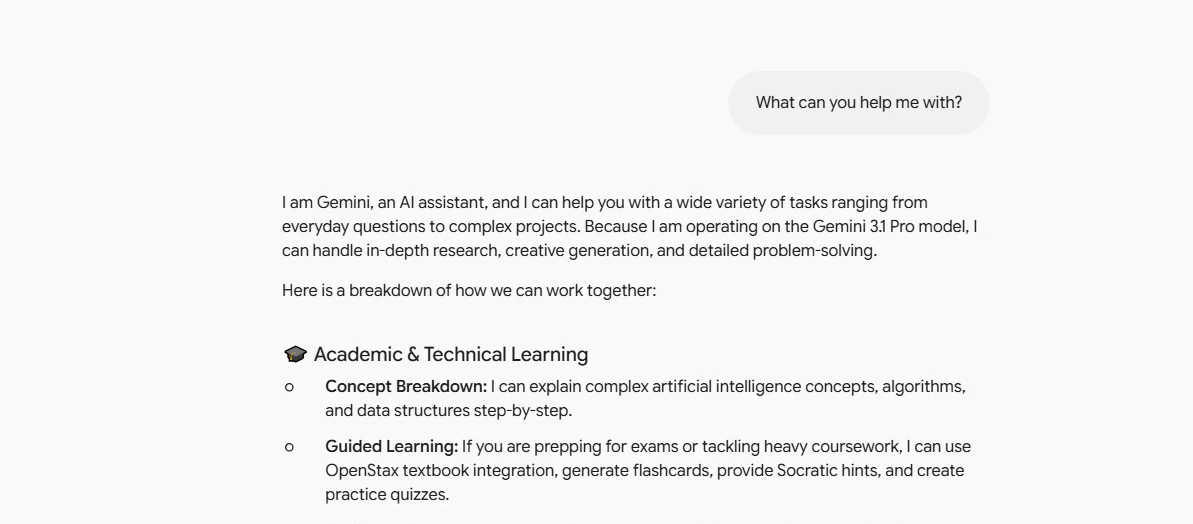
The Gemini AI app itself works as a general-purpose assistant for writing, research, planning, coding, files, images and everyday questions. But the wider Gemini experience now stretches into Gmail, Docs, Search, Chrome, Google Flow and other Google products.
Gemini 3.1 Pro review: the model for harder work
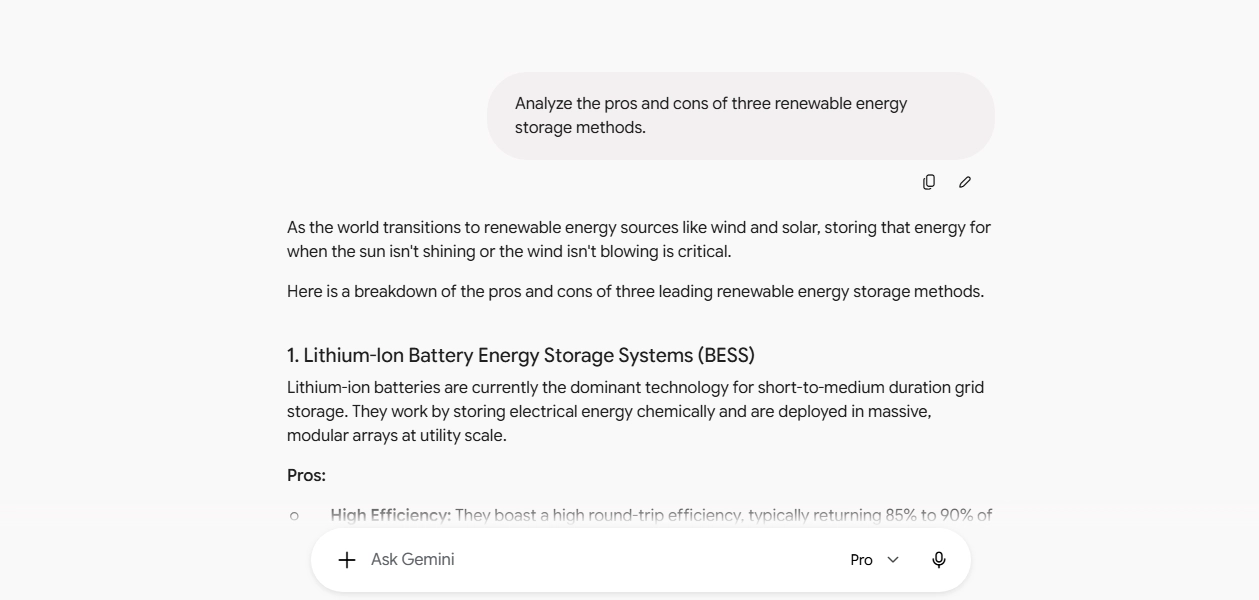
For demanding reasoning, research and coding, Gemini 3.1 Pro is one of the most important models in Google’s current lineup. Google introduced it in February 2026 as an upgraded model designed for complex problem-solving, data synthesis, coding and other tasks where a quick answer is not enough.
That distinction matters. I would not waste a heavier reasoning model on every simple email rewrite or brainstorming prompt. For complicated analysis, debugging, planning or working through a difficult document, however, the extra reasoning becomes much more useful.
What happened to Gemini 3.5 Flash?
You may also find people searching for a Gemini 3.5 Flash review. Gemini 3.5 Flash is real and remains part of Google’s model family, with a 1-million-token input context window and a focus on fast agentic and coding workloads.
However, the consumer product has already moved forward. Google subsequently introduced Gemini 3.6 Flash, describing it as an improvement over 3.5 Flash for coding, knowledge work and multimodal tasks. Google’s current Gemini subscription page lists 3.6 Flash for free users.
That rapid model turnover is worth remembering when reading older Gemini reviews.
Gemini Deep Think mode
Gemini Deep Think is much more specialized. Rather than simply making Gemini respond more slowly, Google describes Deep Think as a parallel-reasoning mode intended for difficult problems, particularly in areas such as science, engineering, math and research.
It is positioned as an AI Ultra feature rather than something most casual users need.
For most people, paying for Ultra purely to get Deep Think would be difficult to justify. Researchers, engineers and very heavy AI users are a different story.
What Can Gemini Do? My Take on the Most Useful Use Cases
A long feature list is not particularly helpful unless those features solve real problems. These are the areas where I think Gemini makes the strongest case.
Gemini for content writing
Gemini is perfectly capable of creating outlines, rewriting paragraphs, brainstorming titles, summarizing research and producing first drafts.
I would not publish its first draft untouched, though. That is true of every major AI writer I use as a benchmark. Generic prompts can still produce generic wording.
The better workflow is to give Gemini your audience, examples, desired tone, facts, structure and editing rules, then use it as a writing partner rather than an automatic article machine.
For bloggers and marketers already storing briefs in Docs and files in Drive, Gemini becomes more interesting because the AI sits closer to the material you are already working with.
Gemini for coding review
So, how good is Gemini for coding?
Very good and significantly more serious than the early Bard-era product.
Google specifically positions its current Pro and Flash families around coding and complex problem solving, while its newer Flash models emphasize agentic workflows and iterative code tasks.
For generating functions, explaining unfamiliar code, debugging, prototypes and working through programming concepts, Gemini deserves to be on the shortlist.
For large production projects, I would still test the same difficult task in Gemini, ChatGPT and Claude instead of assuming benchmark leadership automatically means better results for my particular codebase.
Gemini for students and research
This may be one of Gemini’s best fits.
Deep Research can investigate a question across online sources, while Gemini Notebook adds another research-oriented environment. Pro also provides access to a 1-million-token context window according to Google’s current subscription information.
That combination can be useful for comparing sources, breaking down difficult topics, studying documents and preparing structured research.
Students should still check original sources rather than treating generated text as a citation authority.
Gemini for business and Google Workspace
For a business already standardized on Google Workspace, Gemini becomes much easier to justify.
Having AI available around Gmail, Docs and other Google products reduces the constant copy-and-paste cycle common with standalone AI tools. Google is also expanding Gemini beyond its own apps; a July 2026 update announced connections involving services such as Dropbox, Zillow Rentals and Viator.
This is one area where older Gemini reviews can give the wrong impression. The product is becoming less isolated than it used to be.
Gemini image and video generation review
Google has also made Gemini considerably more interesting for creators.
The Gemini ecosystem now combines image-generation tools with Google Flow and video-generation access. For example, Google currently lists 200 Flow credits with AI Plus and 1,000 with AI Pro in the U.S.; Pro also includes a limited trial of Veo 3.1 Lite.

For bloggers, YouTubers and marketers, having writing, research, images and video tools within one subscription ecosystem can be more valuable than judging the chatbot alone.
Gemini Pricing 2026: Free vs Plus vs Pro vs Ultra
Google’s pricing structure has become much more competitive.
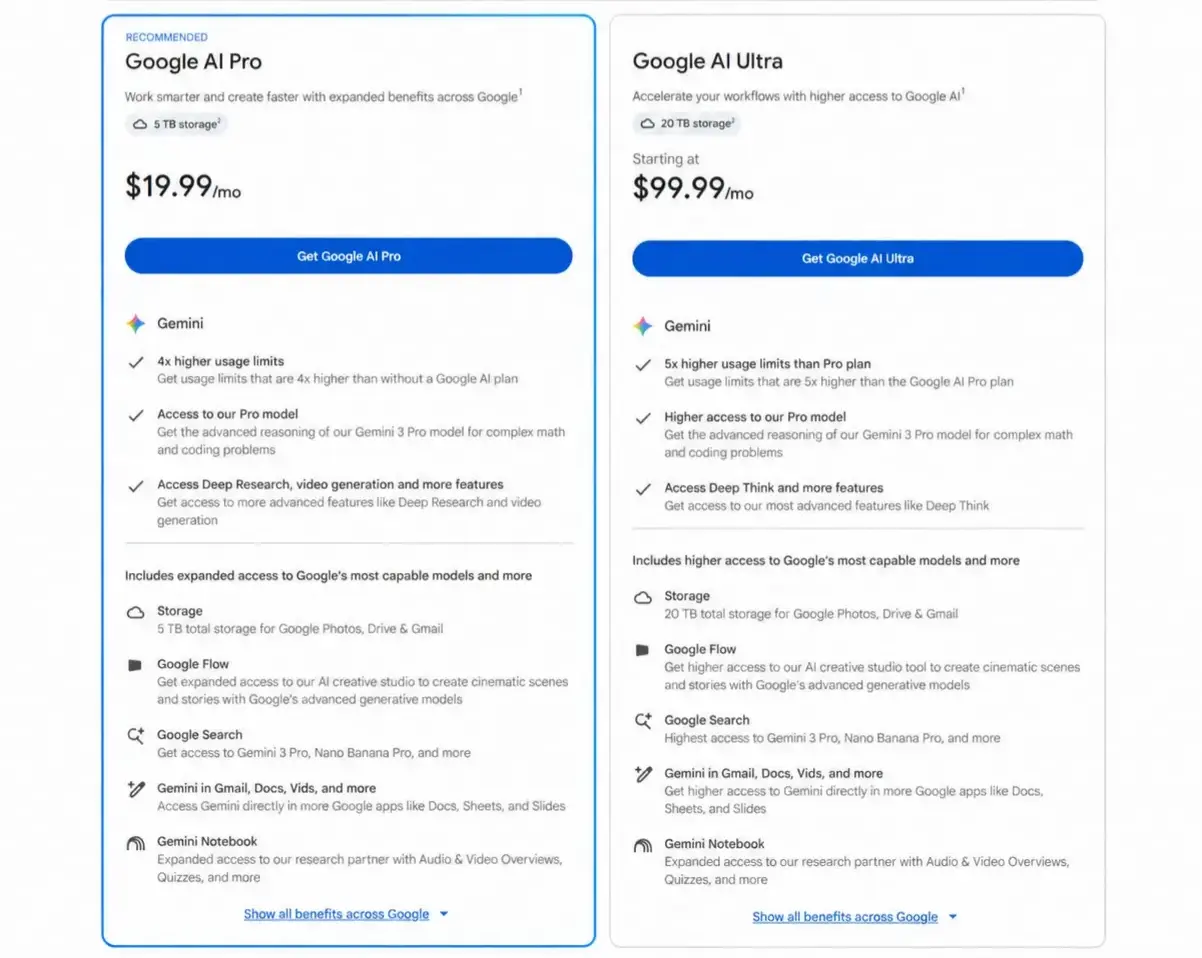
As checked against Google’s U.S. Gemini subscription page current monthly pricing is:
| Plan | U.S. price | Best suited to |
|---|---|---|
| Gemini Free | $0 | Casual users and testing Gemini |
| Google AI Plus | $4.99/month | Budget users wanting higher limits and creative tools |
| Google AI Pro | $19.99/month | Regular Gemini, research and Workspace users |
| Google AI Ultra 5x | $99.99/month | Heavy professional users |
| Google AI Ultra 20x | $199.99/month | Very high-volume AI users |
Google currently says AI Plus provides 2x the free usage access, AI Pro provides 4x, while Ultra offers either 5x or 20x the usage limits of Pro depending on the tier.
Is Gemini Advanced worth it?
“Gemini Advanced” is an older name you will still see in searches. Today, the paid consumer experience is primarily packaged through Google AI Plus, Pro and Ultra.
For most individual professionals, I think Google AI Pro at $19.99 is the plan to compare with ChatGPT Plus or Claude Pro, not Ultra.
Ultra at $99.99 becomes interesting only when higher limits, Deep Think, advanced creative features and Google’s wider premium bundle are genuinely part of your workflow.
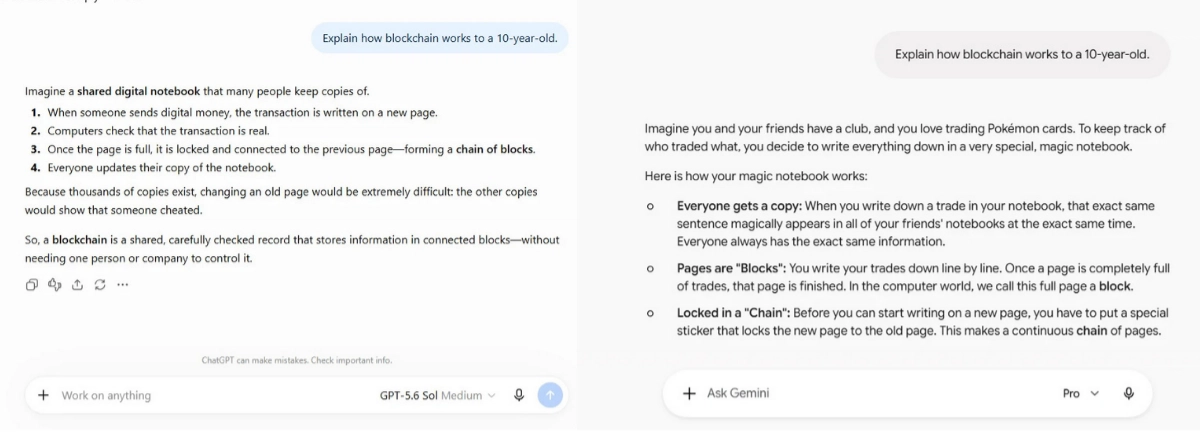
Gemini vs ChatGPT vs Claude AI: Which Would I Choose?
There is no universal winner because these products are no longer just interchangeable chat boxes.
ChatGPT Plus currently costs $20 per month, while Claude Pro is also $20 monthly in the U.S. Google AI Pro sits almost exactly beside them at $19.99.
| Choose | I would favor it when… |
|---|---|
| Gemini | I rely heavily on Google services, Search, Gmail, Docs, research or Google’s creative ecosystem |
| ChatGPT | I want a broad general-purpose AI workspace with strong research, files, coding and customization |
| Claude | My work centers heavily on writing, documents, coding or long-form reasoning workflows |
An important SEO note: Gemini vs GPT-5 is still searched, but GPT-5 itself is no longer the current ChatGPT comparison point. OpenAI retired GPT-5 from ChatGPT in February 2026 and has since introduced newer GPT-5.6 models.
So, is Gemini better than ChatGPT in 2026?
For someone deeply invested in Google, it can absolutely be the better choice. For everyone else, I would choose according to workflow rather than brand. Switching simply because one model wins a particular benchmark is rarely a good reason to rebuild your AI setup.
Gemini Pros and Cons: Should You Switch?

Gemini’s strengths and weaknesses are clearer when you stop treating it like a model benchmark.
| Pros | Cons |
|---|---|
| Deep integration with Google products | Best experience increasingly depends on Google’s ecosystem |
| Useful free tier | Model and plan names change quickly |
| $4.99 entry-level paid plan | Higher tiers become expensive |
| Strong research and multimodal features | AI answers can still contain mistakes |
| Competitive coding capabilities | Advanced modes are unnecessary for many users |
| Strong image/video ecosystem | Limits and feature availability can vary by plan and region |
Accuracy is the biggest point I would not gloss over in a Gemini AI accuracy review. Google itself warns that generative-AI features can produce inaccurate responses.
I would therefore use Gemini confidently for assistance, but not blindly for medical, legal, financial, academic or other high-stakes factual claims.
Frequently Asked Questions
Is Google Gemini worth switching to from ChatGPT?
Yes, if Gmail, Docs, Drive, Search and other Google products are central to your workflow. If ChatGPT already handles your work well, however, there is no reason to switch purely because Gemini has newer models. Compare the actual tasks you perform most often.
Is Gemini better than ChatGPT in 2026?
Gemini can be better for Google-centric workflows, while ChatGPT may be a better fit for users who prefer its broader AI workspace and tools. Neither is best at every task.
Is Google Gemini free?
Yes. Google offers a free Gemini tier. Paid U.S. options currently start with Google AI Plus at $4.99 per month, followed by Pro at $19.99 and Ultra tiers starting at $99.99.
Which Gemini plan is best for most people?
For light usage, I would start with Free or AI Plus. For people using Gemini regularly for work, research and Google Workspace, Google AI Pro is the most sensible upgrade. Ultra is aimed at substantially heavier users.
What is the best Gemini alternative?
ChatGPT and Claude are the two alternatives I would compare first. The right choice depends less on headline benchmark scores and more on whether you prioritize Google integration, coding, writing, research, customization or specific connected tools.
Final Verdict: Is Google Gemini Worth It in 2026?

Gemini has grown far beyond the Bard-era chatbot that once felt like Google was trying to catch ChatGPT.
In 2026, its biggest strength is the combination of capable AI models with Search, Workspace, research, images, video and an expanding set of connected services. That makes Gemini particularly compelling if you already spend most of your day inside Google products.
I would not recommend switching from ChatGPT simply because Gemini is newer or because one benchmark says it is smarter. I would switch when Gemini removes more steps from your workflow.
Start with the free version, run several tasks you genuinely perform each week, and compare the results with your current AI assistant. If Gemini consistently saves you time, Google AI Plus or Pro becomes a much easier purchase to justify.
Next step: If you are new to the platform, read my guide on Claude vs Gemini.