By M. Zaid Imran | Tech Analyst & AI Operations Specialist
Updated: August 2026 | Tested: Daily, Over 4+ Months
How this guide was produced: This Perplexity review comes after months of daily use, not a weekend test — so you get the honest version, not a sales pitch. Everyone asks me the same question once they find out I use it daily: is it actually better than ChatGPT?
Everyone asks me the same question once they find out I use Perplexity daily: is it actually better than ChatGPT, or is it just a search engine wearing an AI costume? After using both side by side for months — not a weekend test, actual daily work — the honest answer is neither. They’re built to do different jobs, and knowing which one you actually need will save you from paying for the wrong one.
This Perplexity review covers what it’s genuinely good at, where ChatGPT still wins, what Pro actually costs in 2026, and whether the free app is enough for most people. If you’ve been searching “Perplexity.ai vs ChatGPT” trying to figure out which one deserves your subscription money, this is built to actually answer that instead of dodging it. No borrowed opinions — just what changed when I started reaching for Perplexity instead of Google.
What Is Perplexity, in Plain Terms
Perplexity is an AI search engine. You ask it a question the way you would a person, and instead of handing you ten blue links, it reads across multiple sources, writes you a direct answer, and shows exactly which sources it pulled from — each claim gets a clickable citation you can check yourself.
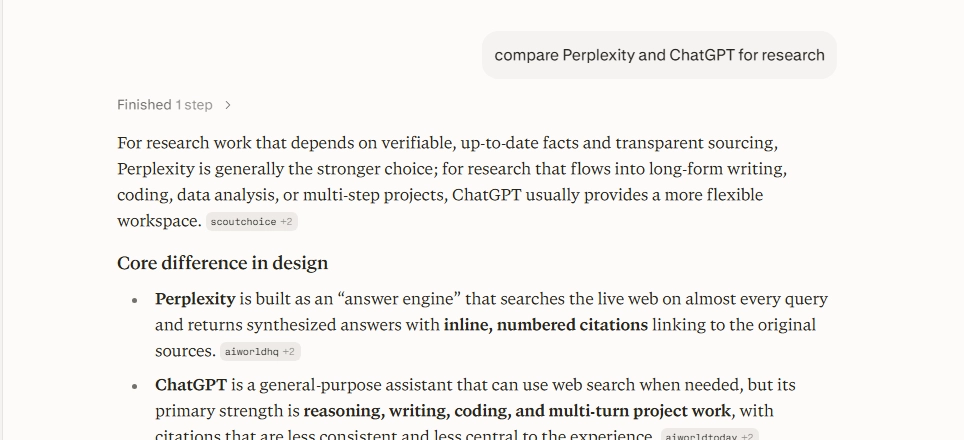
That last part is the whole pitch. It’s built to answer “what’s true right now,” not to be a creative partner or a coding assistant, even though it can attempt both.
Perplexity vs. ChatGPT: The Core Difference
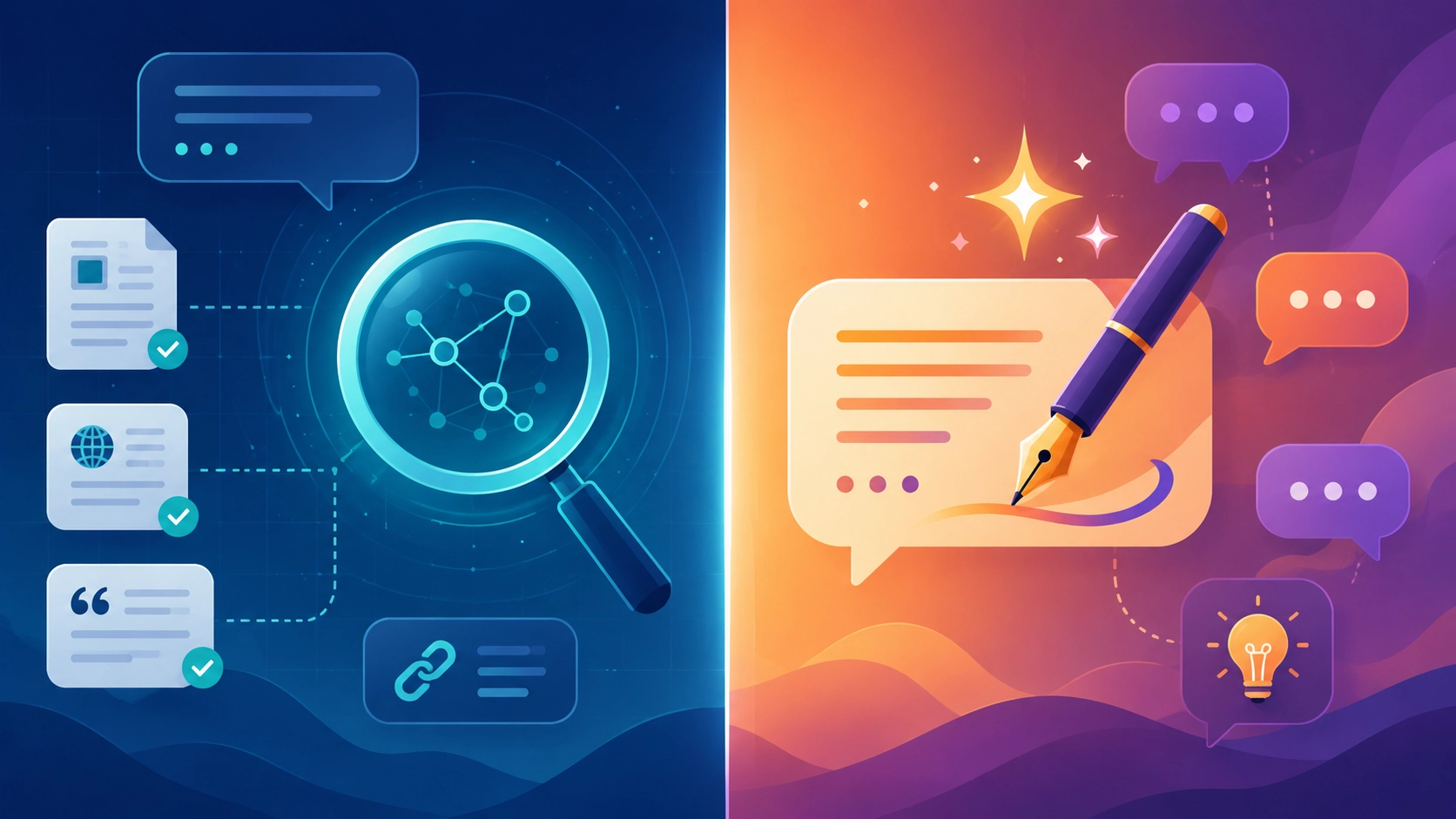
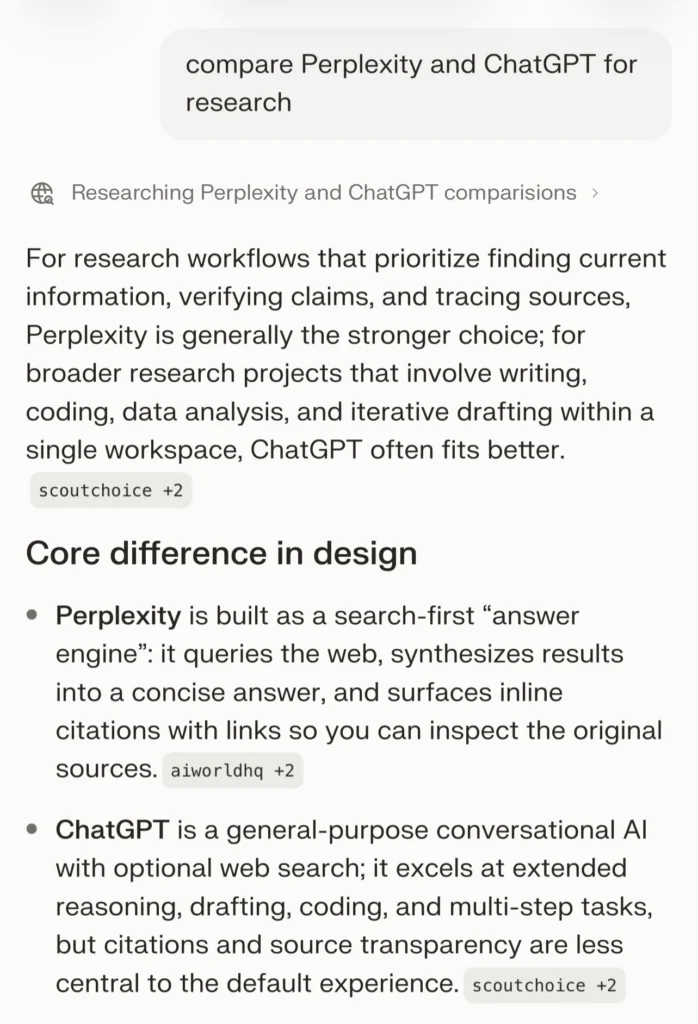
This is the question everyone’s actually asking, so let’s settle it directly in my Perpleaxity review. Perplexity vs. ChatGPT isn’t really a fair fight, because they’re optimized for opposite strengths.
Where Perplexity Wins
- Current information, reliably. Perplexity searches live and cites its sources by default. Ask about something that happened this week and you get an answer with receipts, not a hedge about training data.
- Research that would normally take an afternoon. Comparing options, summarizing a pile of articles, or fact-checking a claim across multiple sources happens in one prompt instead of twenty open tabs.
- Every citation is clickable. If you need to double-check a number before it goes in a report, that’s built in rather than something you do separately.
Where ChatGPT Wins
- Creative and conversational writing. Ask Perplexity to write something with personality — a story, a punchy social post, a brand voice — and it tends to come back accurate but flat. ChatGPT handles tone and voice noticeably better.
- Long, back-and-forth conversations. Perplexity is built around question-and-answer, not extended dialogue. It can lose the thread in a long conversation faster than a tool built for sustained chat.
- Coding and complex reasoning. Perplexity can answer technical questions, but for real debugging or multi-step logic, a dedicated coding-capable model still has the edge.
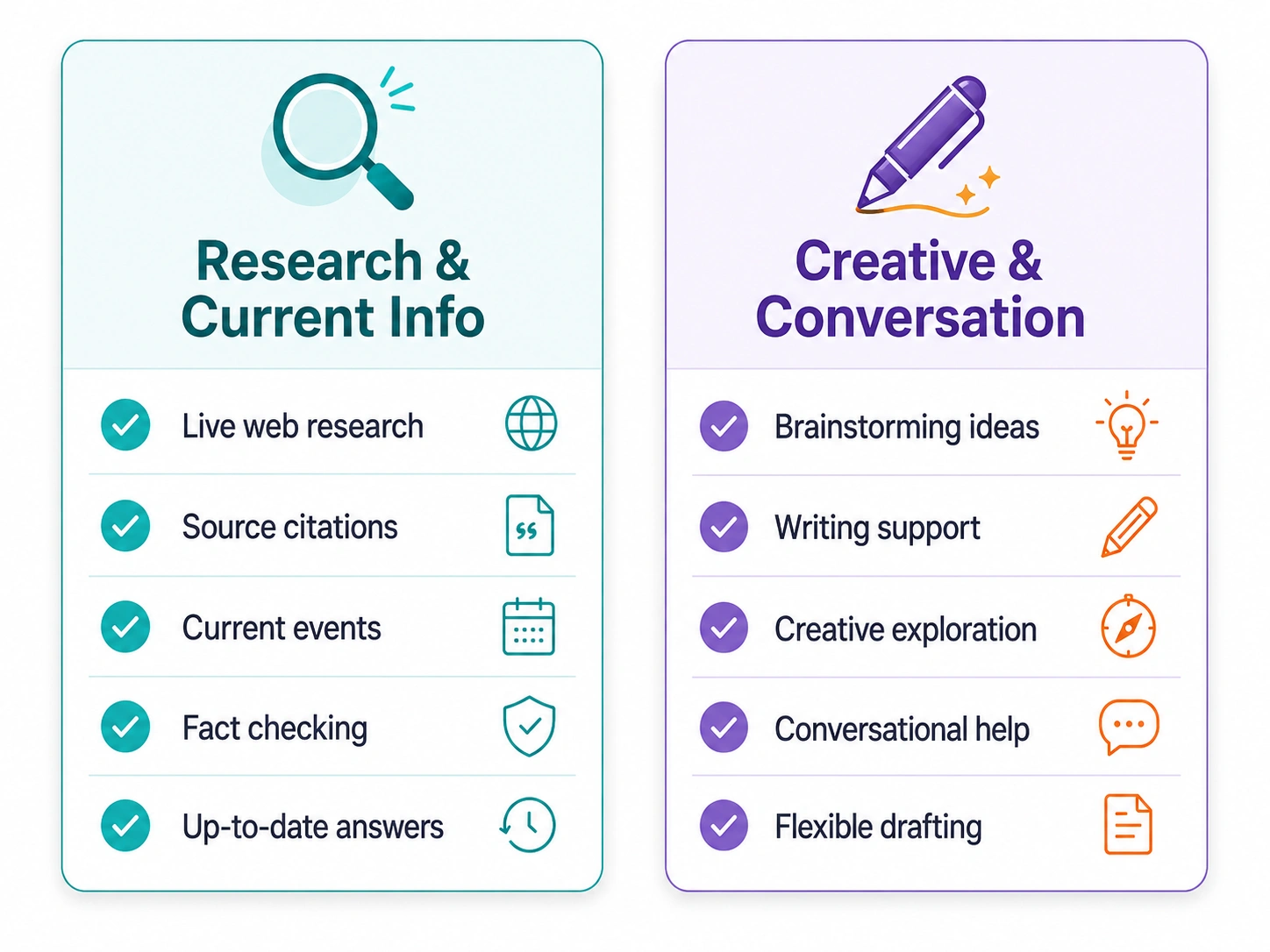
The short version: if your question starts with “what’s the latest on…” or “help me compare…,” reach for Perplexity. If it starts with “write me…” or “help me think through…,” ChatGPT is usually the better starting point.
[Internal link opportunity: your “ChatGPT vs Claude” comparison or AI tools stack recommendation post]
Perplexity Review: What It’s Actually Like to Use
The feature I use most isn’t the flashy one. It’s the source filters. Before I even ask a question, I can point Perplexity at academic papers only, or at the open web generally. That single choice changes the answer more than any prompt tweak I’ve tried.
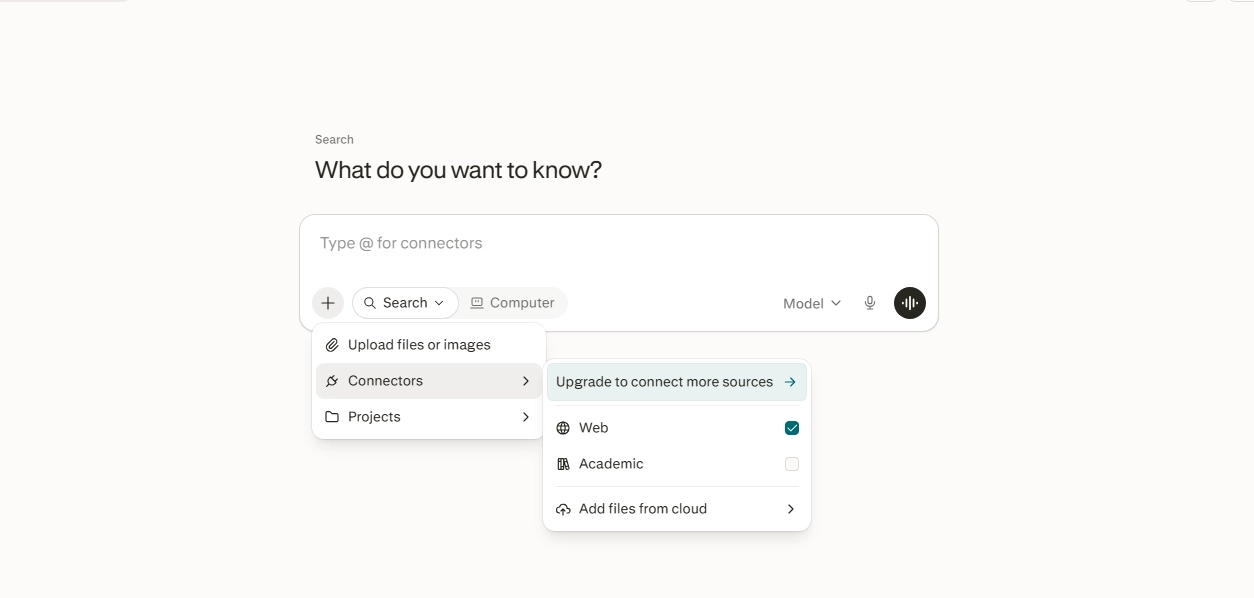
Where it’s genuinely replaced a habit: product research. Searching for something specific — say, a piece of gear with particular requirements — used to mean scrolling past sponsored listings before finding an actual comparison. Perplexity skips straight to a synthesized answer with sources attached, and there’s no ad clutter dressed up as advice.
Where it still falls short: anything that needs personality. I tried using it to draft a short LinkedIn post and a product description, and both came back correct but generic — accurate information with none of the voice you’d want in something meant to be read casually. Switching the underlying model to a different option helped somewhat, but that flexibility is locked behind the paid plan.
One more honest note: in longer research sessions, I’ve had to restate context that a dedicated chat tool would have remembered. It’s a search-and-answer tool at heart, and it shows when you push it toward an extended conversation.
A specific example that sold me on it: I was comparing two approaches for a project and needed current pricing, not what I remembered from a year ago. Instead of opening five tabs and crossreferencing dates on each page, I asked Perplexity directly, filtered to recent sources, and had a sourced answer in under a minute — with links I could actually click to confirm nothing had been misread. That’s the exact kind of task where it beats both Google and ChatGPT, and it’s also the task I do most often day to day.
Perplexity Review: Pricing in 2026 — Is Pro Worth It?
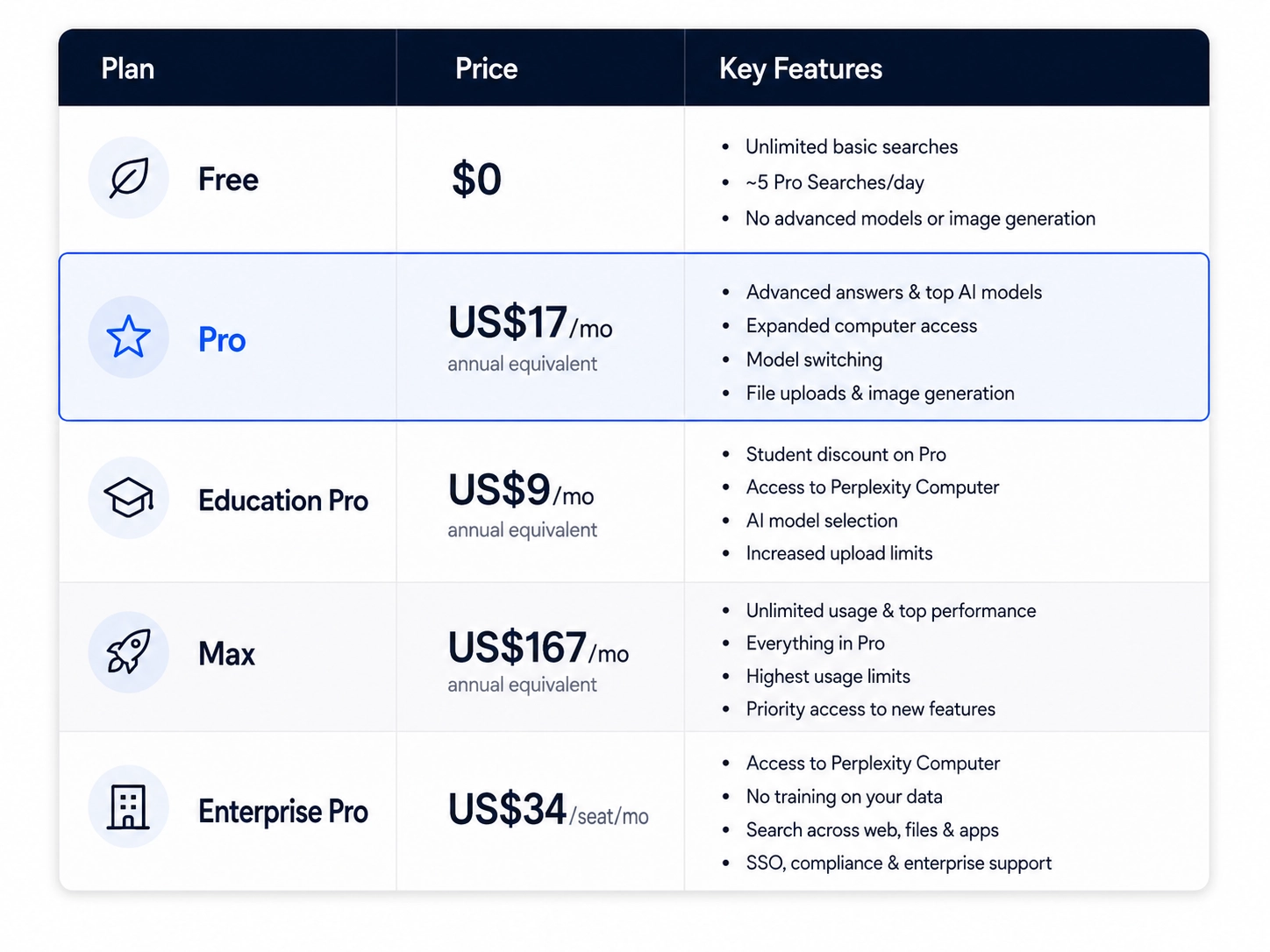
Perplexity’s pricing has shifted more than once this year, so if you’ve seen an older breakdown, some of it is already out of date.
- Free — $0. Unlimited basic searches, but advanced “Pro Search” queries are capped at roughly 5 per day, with no access to the stronger models or image generation.
- Pro — $20/month, or $17/month when billed annually (works out to $200/year, about $16.67/month before rounding). This unlocks model switching (choosing between different underlying AI models for your answers), file uploads, and image generation. Worth knowing: Perplexity moved away from a flat “daily search cap” model to weekly usage limits, so how far $20 stretches depends more on your overall weekly volume than a clean daily number now.
- Education Pro — $10/month, or $9/month billed annually, for verified students — the same feature set as Pro at roughly half price.
- Max — $200/month, or $167/month billed annually. Aimed at people whose work depends on constant, high-volume access across the full range of available models, plus early access to new features.
- Enterprise Pro — $40/seat/month, or $34/seat billed annually, for teams that need single sign-on, guaranteed no training on your data, and broader compliance coverage (SOC 2, HIPAA, GDPR, PCI DSS).
- Enterprise Max — $325/seat/month, or $271/seat billed annually, for organizations running the heaviest workloads, with access to the most advanced models and premium security features.
Is Pro worth it? If you’re hitting that 5-searches-a-day free limit regularly, yes — $20 a month is cheap compared to the research time it saves. If you’re an occasional user checking a fact once a day, the free plan genuinely covers you.
Perplexity RevFree AI App and the Mobile Experience
If you’re comparing free ai app options generally, Perplexity’s is one of the more capable ones — it’s not a stripped-down companion app, it’s the full product. The Android and iOS apps carry over source filtering, citations, and Pro Search (within the free plan’s daily cap), so you’re not losing core functionality by using your phone instead of a browser.
If you’re specifically looking for the best ai app android has to offer for research and factchecking rather than general chat, Perplexity is a genuinely strong candidate — voice search works well for quick questions, and the citation-first format is arguably more useful on mobile, where you’re less likely to open ten tabs to verify something yourself.
[Internal link opportunity: your roundup of the best free AI apps for Android and iOS]
Frequently Asked Questions
Is Perplexity better than ChatGPT? It depends on the task, and “better” isn’t really the right frame for a Perplexity vs ChatGPT comparison. Perplexity is better for research, fact-checking, and anything needing current, sourced information. ChatGPT is better for creative writing, extended conversations, and coding help. Most heavy AI users end up with both rather than picking one as an outright winner.
Is Perplexity actually free to use? Yes. The free plan includes unlimited basic searches and about 5 advanced Pro Searches per day. It’s a real, usable product, not just a demo — you only need Pro if you’re hitting that daily cap regularly.
Is Perplexity Pro worth $20 a month? If you research often enough to hit the free plan’s daily limit, yes — it removes that cap, adds model switching, and pays for itself in time saved. If you check facts occasionally, the free plan is usually enough.
Does Perplexity have a good Android app? Yes. The Android and iOS apps include the full feature set — citations, source filtering, and Pro Search within your plan’s limits — rather than a cut-down version of the desktop experience.
Can Perplexity replace Google Search? For research-style questions, often yes. For local searches, shopping comparisons, maps, and general browsing, not really — most people end up using it alongside Google rather than instead of it.

Final Verdict
Perplexity earned a permanent place in my browser, but not as a ChatGPT replacement — as the tool I reach for the moment a question needs an actual, verifiable answer instead of a conversation. If your AI use is mostly research, fact-checking, or staying current on a topic, it’s genuinely worth trying, and the free plan is generous enough to know within a week whether Pro is worth paying for.
If you mainly want a creative or coding partner, keep ChatGPT as your default and treat Perplexity as the tool you open when you need to check something is actually true. The two aren’t really competing for the same job, which is probably why I ended up keeping both instead of picking a winner.
Tried Perplexity yourself? [Insert your preferred CTA here — comments, email reply, or a link to your own AI tools comparison hub.]