What Is Perplexity AI? How It Works, Features, Pricing & Uses (2026)

If you have ever searched Google, opened five or six results, skimmed through ads and long articles, and still struggled to find a simple answer, you can probably understand why tools like Perplexity AI are getting so much attention.
Perplexity takes a different approach to search. Instead of mainly giving you a page of links, it searches for information, summarizes what it finds, and gives you a conversational answer with citations you can open and check yourself.
That last part is important to me.
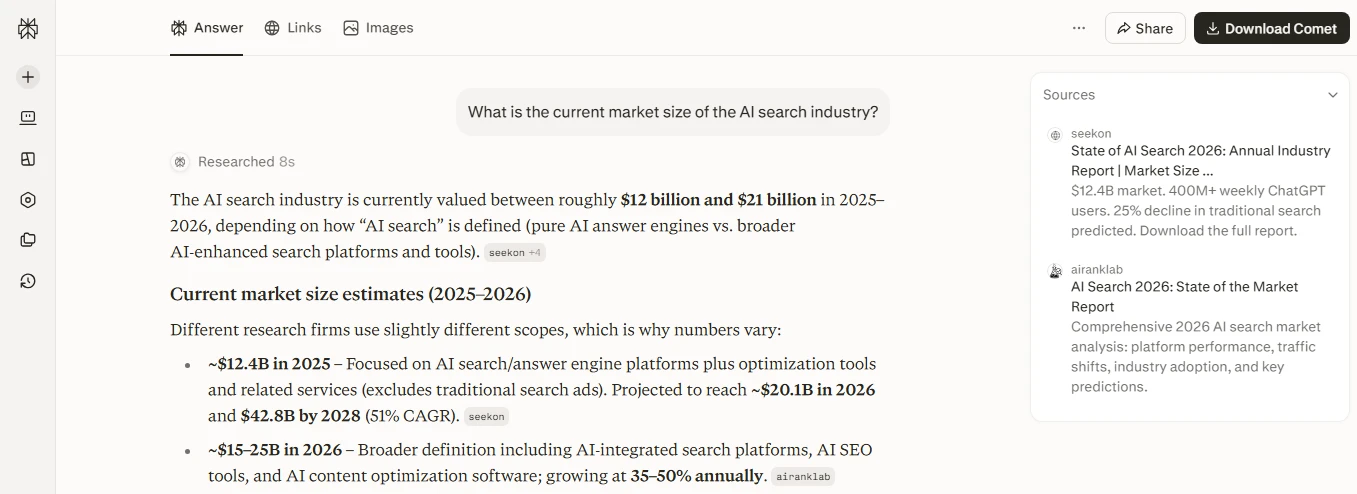
When I use AI for research, I don’t only want a confident-sounding answer. I want to know where the information came from. That is one of the main reasons Perplexity stands out from a traditional chatbot or search engine.
But Perplexity has expanded considerably beyond basic AI search. In 2026, it offers deeper research tools, different AI models, project workspaces, premium data sources, file creation, and paid plans aimed at everyone from students to professional researchers.
So, what is Perplexity AI, how does it actually work, and is it worth using?
In this guide, I’ll explain Perplexity in plain English, including its features, pricing, research capabilities, limitations, privacy considerations, and how it compares with ChatGPT.
What Is Perplexity AI?
Perplexity AI is an AI-powered search and research platform that searches available information and generates direct, conversational answers supported by citations to its sources.
Think of it as a combination of a search engine and an AI assistant.
With Google, you normally search for something and receive a list of pages to investigate yourself. With Perplexity, you can ask a complete question such as:
“What are the main differences between solar and natural gas electricity costs in the United States?”
Perplexity can search relevant sources, organize the information, provide a summarized answer, and show citations alongside the claims it makes.
You can then click those citations and inspect the original websites.
Perplexity itself describes the product as an AI-powered search engine that provides conversational answers backed by verifiable sources.
That does not mean every answer is automatically correct. More on that later.
Who created Perplexity AI?
Perplexity was founded in 2022 by Aravind Srinivas, Denis Yarats, Johnny Ho, and Andy Konwinski. It is a privately held American AI company rather than a product owned by Google, Microsoft, or OpenAI.
Aravind Srinivas serves as CEO and previously worked as an AI researcher at OpenAI.
For the average user, however, the more useful question isn’t who owns Perplexity. It’s what makes its approach different from ordinary web search.
How Does Perplexity AI Work?
Perplexity can feel simple from the outside: you type a question and receive an answer.
Under the surface, several things are happening.
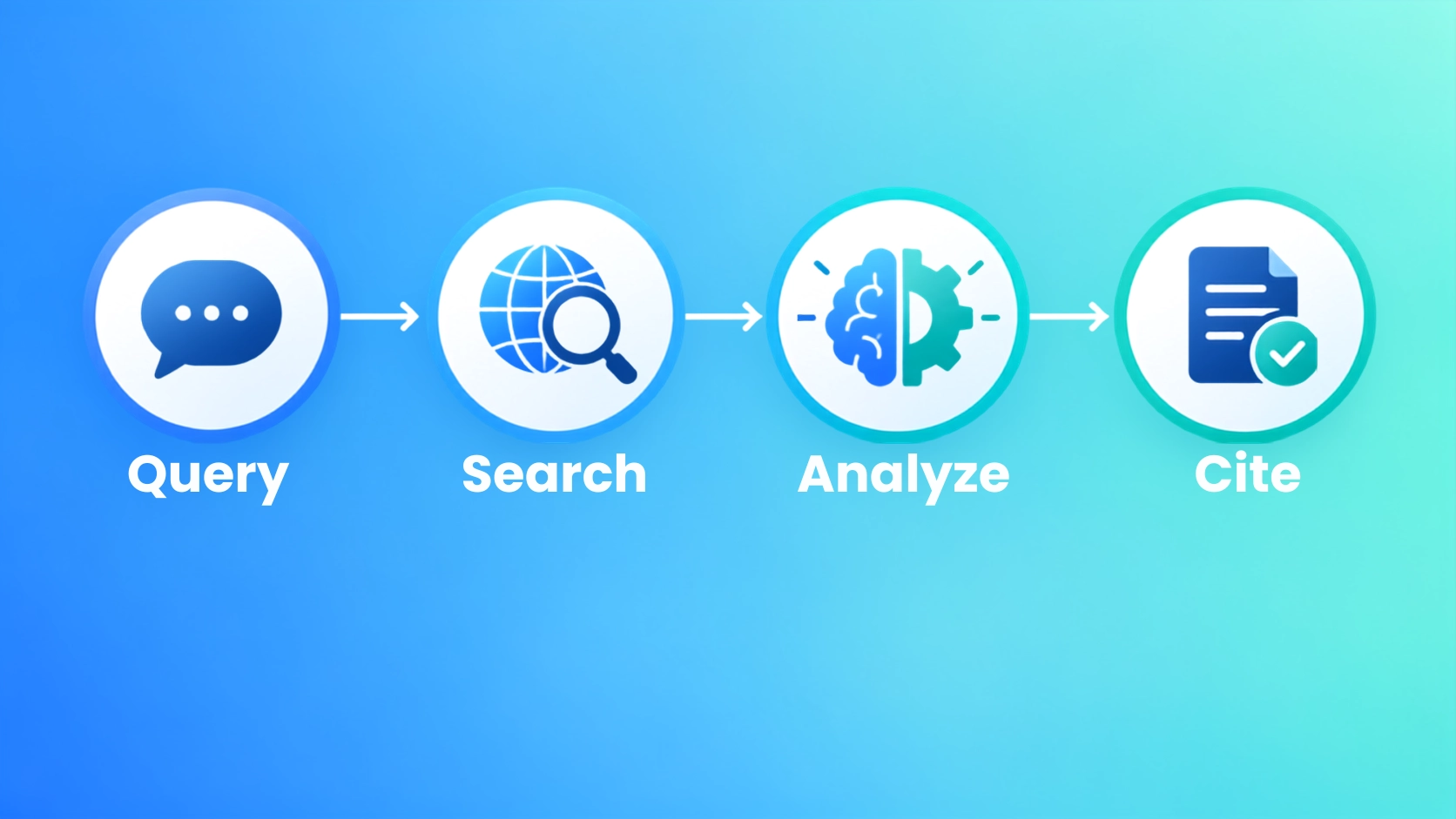
1. You ask a question in natural language
You don’t have to reduce your search to awkward keywords.
Instead of typing:
best laptops students battery life 2026
you could ask:
“What are the best lightweight laptops for a US college student who needs at least 10 hours of battery life and wants to spend under $1,000?”
That extra context can help the system understand what you actually need.
2. Perplexity searches for relevant information
Perplexity can retrieve information from the web rather than relying entirely on knowledge stored inside an AI model.
This is especially useful for topics that change frequently, including:
- technology
- current events
- travel
- product comparisons
- business research
- software
- market information
3. AI models analyze and summarize the information
Perplexity then uses AI models to interpret the material and create a readable answer.
Paid users can access advanced model options, while Perplexity can also automatically select an appropriate model depending on the search mode and plan. Its current documentation lists model options from multiple AI providers rather than relying on one model for every query.
4. Citations are attached to the answer
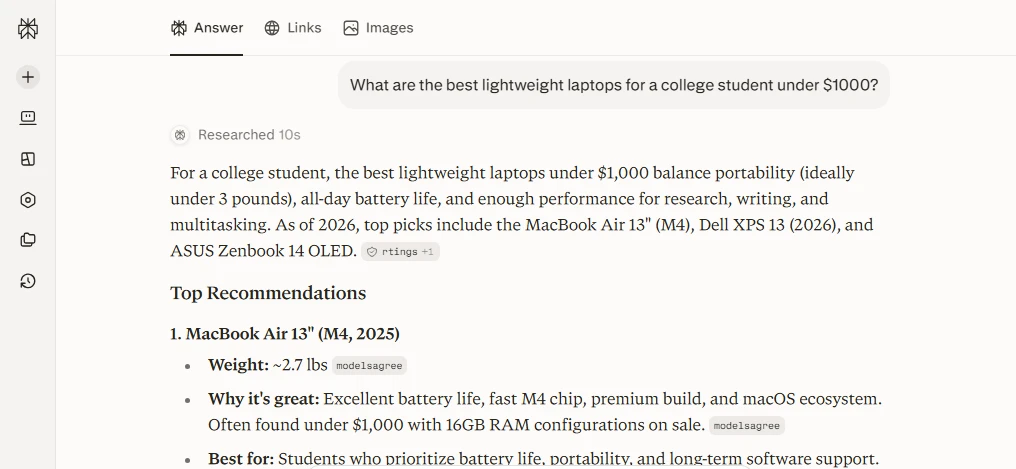
This is probably the feature I would pay the most attention to as a researcher.
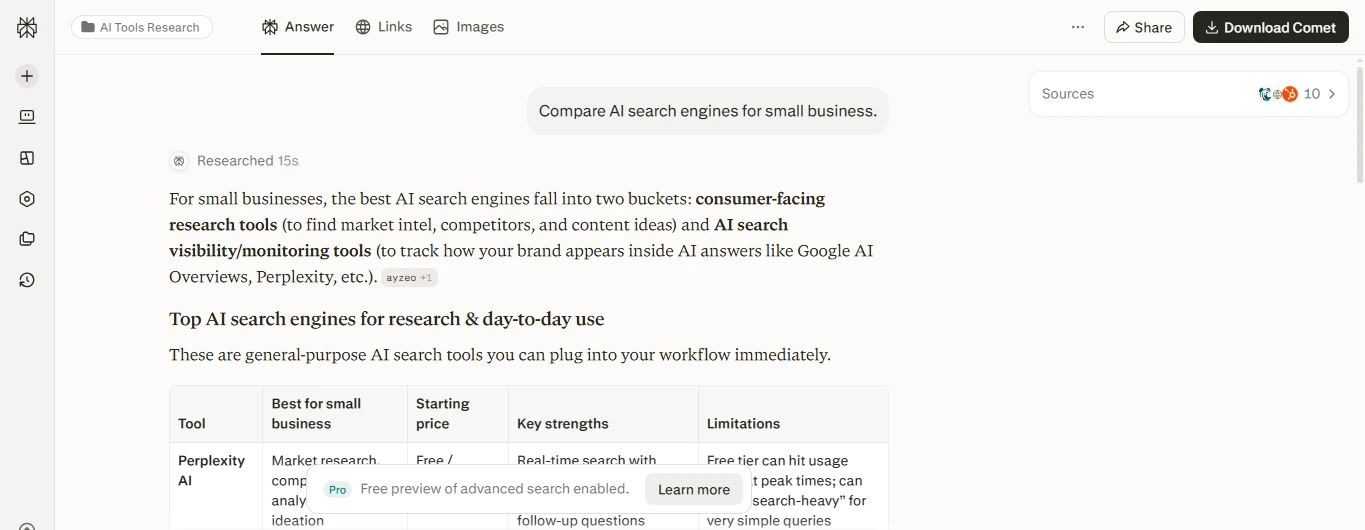
Statements inside an answer can include numbered citations. Clicking one lets you examine the source Perplexity used.
That creates an important distinction:
Perplexity can help you find and understand information, but the original source remains the evidence.
I would never treat the citation itself as proof that a statement is correct. Perplexity even warns that its source labels describe a website overall and do not guarantee that an individual article or claim is accurate.
For important research, I recommend opening the strongest citations yourself.
Perplexity AI Features That Matter Most in 2026
Perplexity has accumulated a lot of features, but beginners don’t need to understand all of them on day one.
These are the ones I think matter most.
Search and cited answers
The basic Perplexity experience is still its strongest concept: ask a question and receive a summarized response with links to supporting sources.
It’s especially useful when I want the answer first and the reading list second.
Pro Search
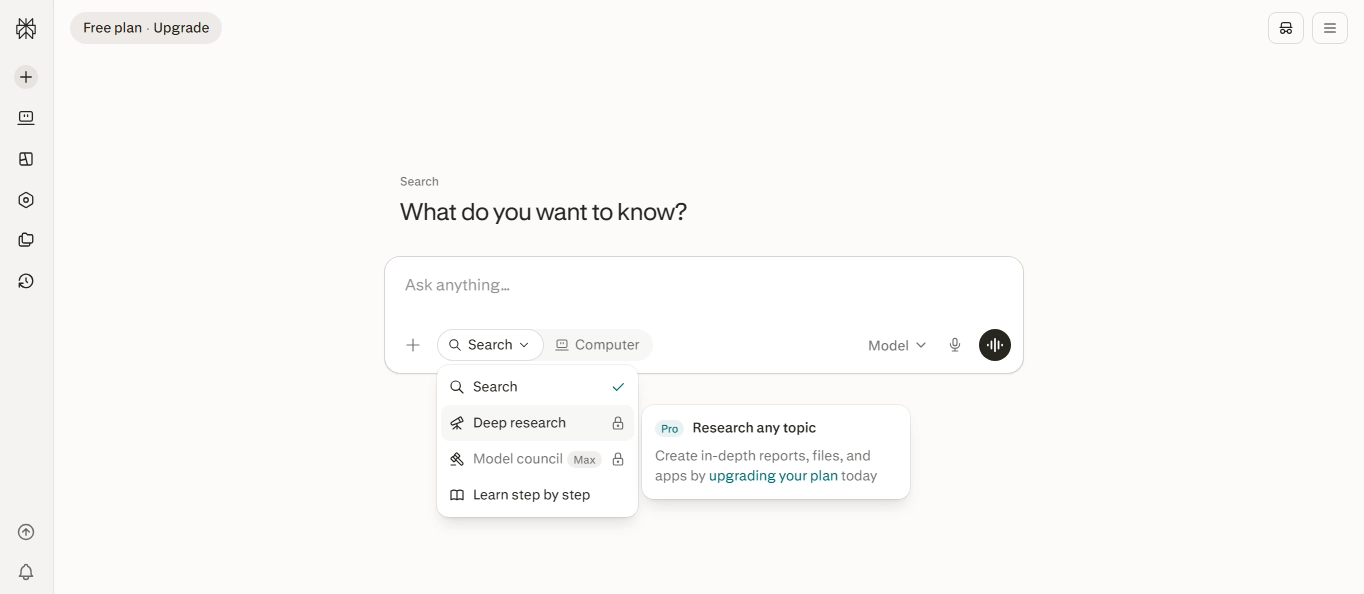
Pro Search is designed for questions that require more investigation than a basic lookup.
Rather than returning a short response immediately, it can conduct a more comprehensive search across multiple sources and organize the findings into a deeper answer.
For example, instead of asking:
“What is an AI search engine?”
you could ask:
“Compare the leading AI search engines for a small US marketing team, focusing on citations, research depth, price, and document analysis.”
That is the type of multi-factor question where a deeper search becomes more useful.
Research
For more complicated work, Perplexity offers Research, its deeper research mode.
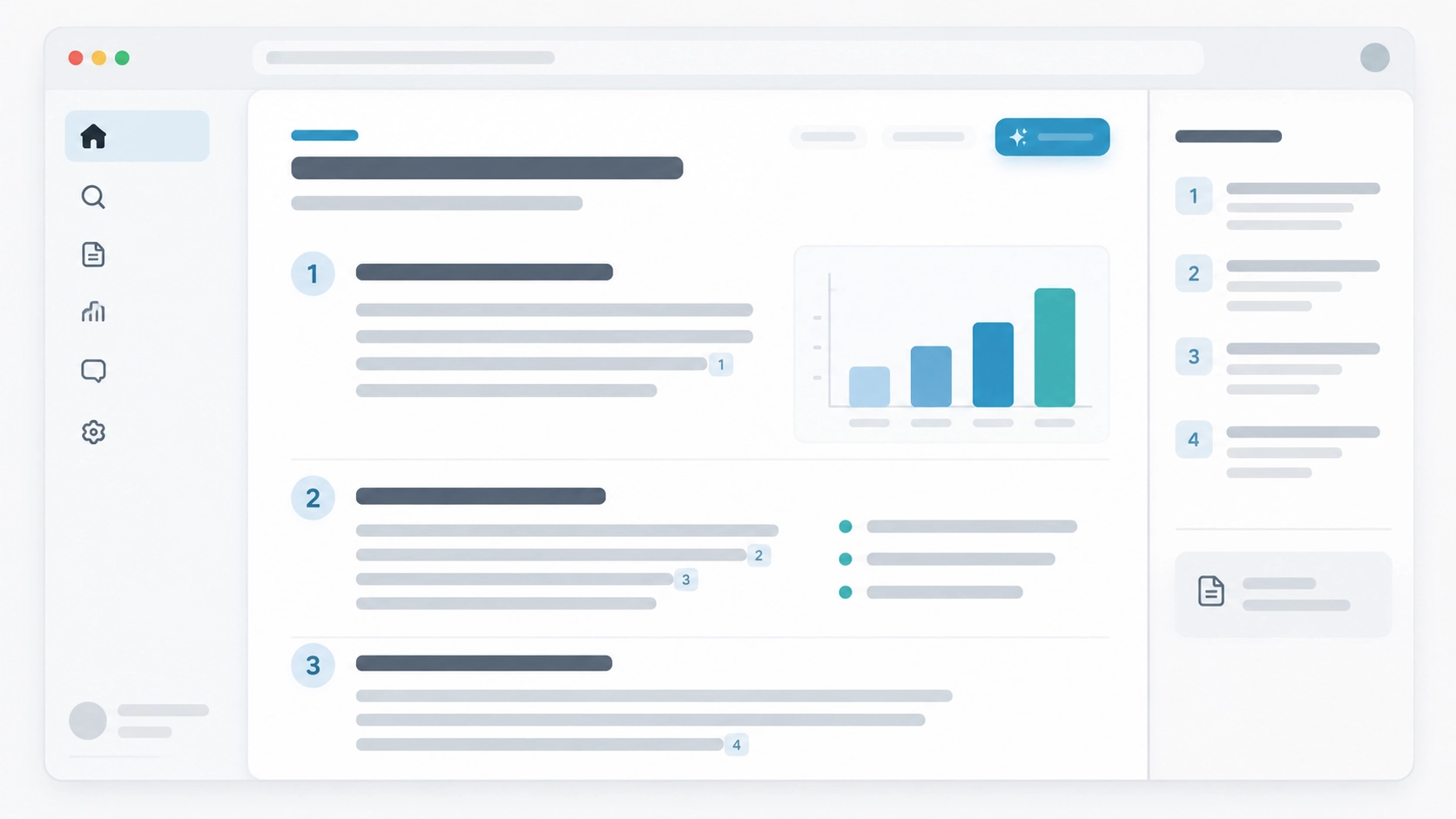
According to Perplexity, Research can perform many searches, examine large numbers of sources, reason through the material, and turn the findings into a structured report. Reports can also be exported or shared.
I would use this mode when the task is closer to a research project than a quick question—for example:
- studying an industry
- researching competitors
- comparing technology products
- building a travel plan
- investigating a historical topic
- preparing background research for an article
The important point is not that Research replaces human judgment. It reduces the amount of manual searching and sorting you have to do.
Projects
Perplexity’s Projects feature lets you keep related searches, files, instructions, tasks, and context together in a persistent workspace.
That becomes useful when you’re researching something over several sessions rather than asking isolated questions.
For example, if I were researching an article about AI image generators, I could keep my competitor research, pricing information, uploaded material, and previous searches inside one project instead of rebuilding the context every time.
Premium data sources
Perplexity also supports certain premium information sources.
Its current documentation says some premium sources, including services such as Wiley and Statista, can be available through Perplexity, while additional licensed data providers can be connected when users already have the necessary subscriptions.
This pushes Perplexity closer to a professional research platform than a basic AI chatbot.
File and app creation
Perplexity can also create assets such as documents, spreadsheets, presentations, reports, dashboards, and some applications using natural-language instructions. Availability and limits depend on the plan and mode being used.
That’s useful, but I still see research and source discovery as Perplexity’s clearest strength.
What Is Perplexity AI Used For?
There is no single “correct” way to use Perplexity.
I think its best use cases share one thing: you need information and also care where that information came from.
Researching unfamiliar topics
Suppose I want to understand how heat pumps work before writing about them.
Instead of manually opening ten articles, I can begin with:
“Explain how residential heat pumps work for a beginner. Use reliable US government or university sources where possible.”
That gives me a starting framework and sources worth inspecting.
Comparing products or services
You can ask Perplexity to compare products across several criteria.
For example:
“Compare three popular project-management platforms for a five-person US marketing agency. Focus on price, integrations, ease of use, and limitations.”
Just remember that prices and product specifications change. Open the original source before making a purchase.
Academic and professional research
Perplexity can help locate papers, summarize difficult subjects, identify competing viewpoints, and create initial research reports.
But students should not treat generated summaries as replacements for reading assigned sources or following their school’s academic-integrity policies.
Current information
Perplexity is particularly useful when the answer depends on current web information rather than timeless facts.
That could include:
- recent AI releases
- company announcements
- travel information
- market developments
- new research
- changing software features
Content research
For writers and bloggers, I think Perplexity is most useful before drafting.
You can use it to find statistics, identify primary sources, research questions readers are likely to have, understand a topic, and fact-check claims.
What I would not do is copy a Perplexity answer and publish it as an article.
The real value is turning research into your own analysis, examples, testing, and perspective.
How to Use Perplexity AI: A Simple Beginner Workflow
You don’t need complicated prompting to get started.
My recommended workflow is:
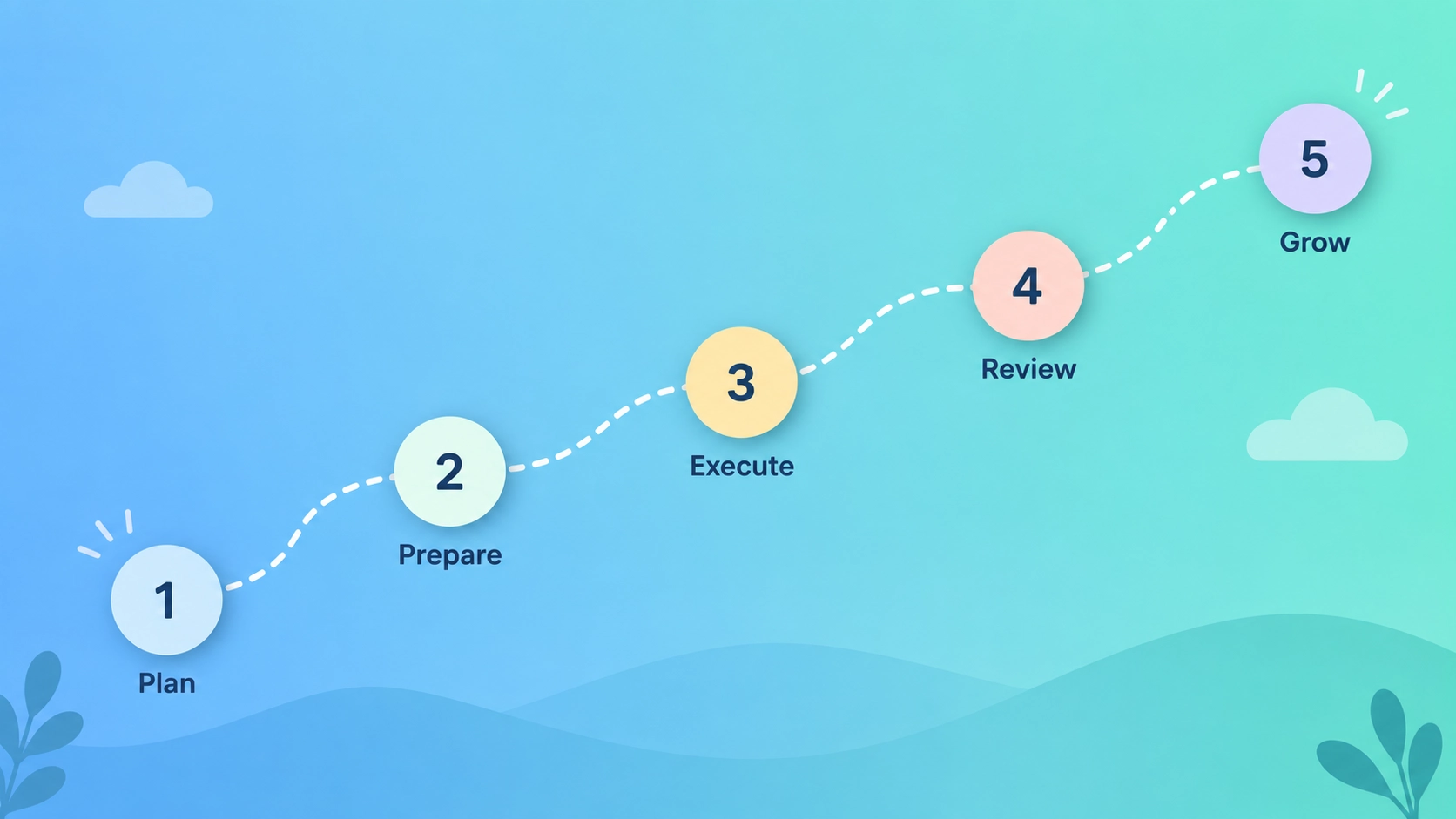
Step 1: Ask a specific question.
Give Perplexity enough context to understand the result you want.
Weak:
“Best phone?”
Better:
“What are the best Android phones under $700 in the US in 2026 if camera quality and battery life are my priorities?”
Step 2: Examine the answer before accepting it.
Look for specific claims, numbers, dates, and recommendations.
Step 3: Open the citations that support important claims.
Prioritize primary sources such as official company websites, government agencies, original research papers, universities, and first-party documentation whenever possible.
Step 4: Ask follow-up questions.
Perplexity is conversational, so you can narrow the result:
“Only compare models released within the last 12 months.”
or:
“Show me the disadvantages of each option.”
Step 5: Verify anything that affects an important decision.
This applies particularly to medical, legal, tax, investment, or financial information.
For US readers, I would rather verify a tax claim on IRS.gov or a health claim through an authoritative medical source than rely exclusively on an AI-generated summary.
That simple habit makes AI research considerably safer.
Is Perplexity AI Free? Pricing in 2026
Yes. Perplexity has a free plan, and many casual users can start without paying.
As of September 2026, its main plans include:
| Plan | US price | Best for |
|---|---|---|
| Standard | Free | Basic AI search and occasional research |
| Pro | $20/month or $200/year | Regular research and advanced AI features |
| Education Pro | $10/month with eligibility verification | Students and educators |
| Max | $200/month or $2,000/year | Heavy professional and power users |
| Enterprise Pro | $40/user/month or $400/year | Teams and organizations |
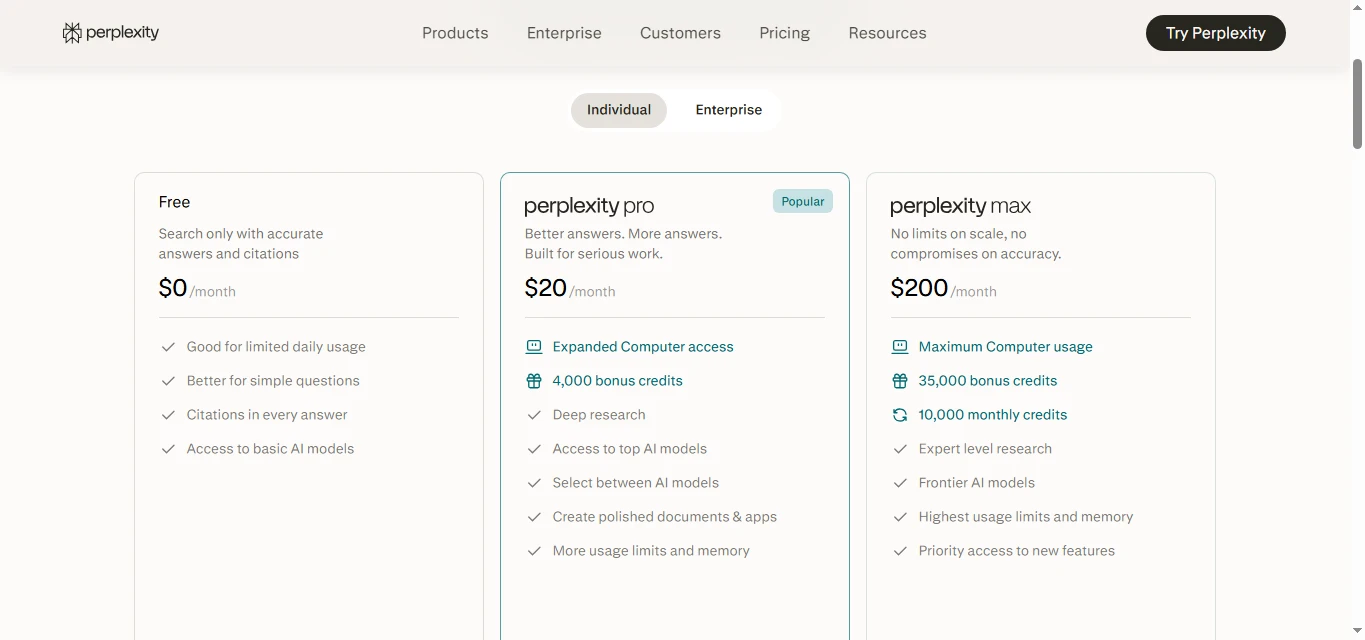
Perplexity also offers Enterprise Max at a higher price for organizations requiring its highest usage levels and enterprise features.
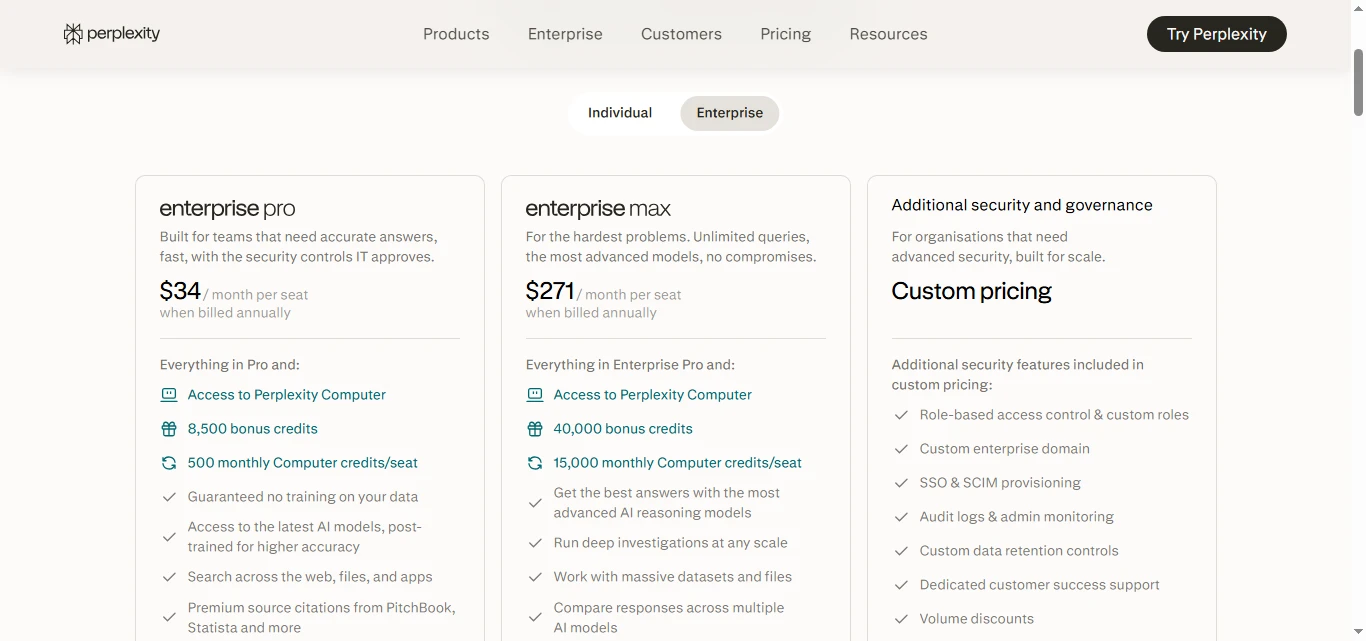
The free plan currently includes basic searching plus limited access to some advanced functionality. Paid plans increase access to advanced models, research tools, file features, image generation, and other higher-compute capabilities. Exact usage allowances can change, so I recommend checking Perplexity’s pricing page before subscribing.
Is Perplexity Pro worth $20 per month?
For someone who only asks occasional questions, probably not.
For a researcher, student, analyst, writer, marketer, or professional who frequently searches across multiple sources, the time saved could make Pro more useful.
I wouldn’t upgrade simply because “Pro must be better.” I would start with the free version and upgrade only when its limits interrupt work I’m already doing.
Perplexity AI vs ChatGPT: Which Is Better?
This comparison used to be simple: Perplexity was for search, while ChatGPT was for conversation and content generation.
In 2026, the line is much less clear.
ChatGPT can also search the web, provide citations, work with uploaded information, and conduct deeper multi-source research.
So I wouldn’t call either one universally “better.”
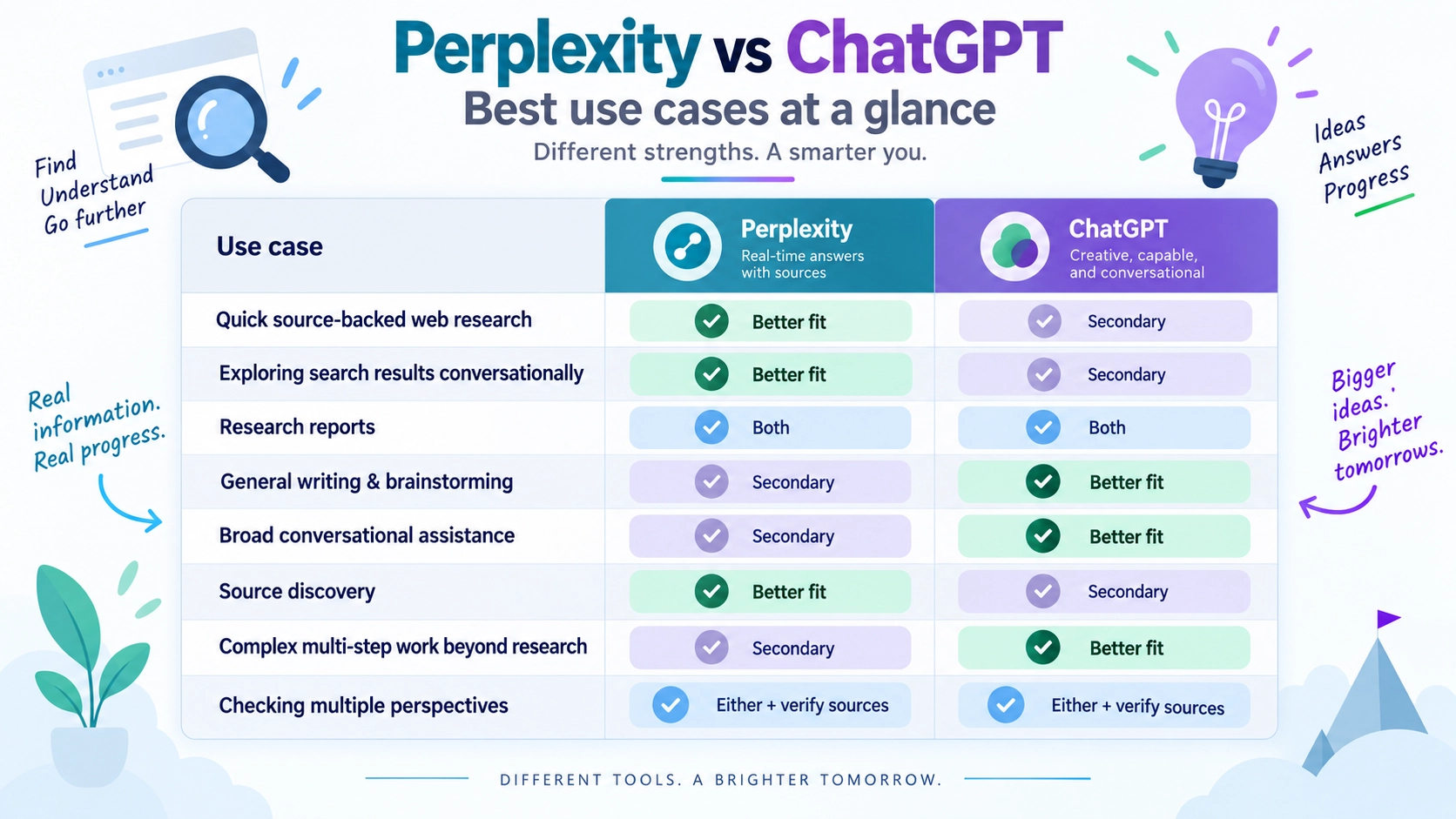
| Need | I would consider first |
|---|---|
| Quick source-backed web research | Perplexity |
| Exploring search results conversationally | Perplexity |
| Research reports | Both |
| General writing and brainstorming | ChatGPT |
| Broad conversational assistance | ChatGPT |
| Source discovery | Perplexity |
| Complex multi-step work beyond research | ChatGPT |
| Checking multiple perspectives | Either, followed by source verification |
The biggest reason I would open Perplexity is its research-first interface.
When I’m researching, citations and source discovery feel like part of the main experience rather than an extra step.
But ChatGPT has become much stronger at web research as well, so the better choice increasingly depends on the complete task rather than one feature.
In practice, you don’t necessarily have to choose one forever.
I might use Perplexity to discover and cross-check information, then use a broader AI assistant to help organize, analyze, or transform the research.
Internal link opportunity: Link to your full Perplexity AI vs ChatGPT comparison.
Is Perplexity AI Accurate and Safe?
Is Perplexity AI accurate?
Perplexity can be very useful, but it can still produce incorrect, incomplete, outdated, or misleading answers.
Citations reduce one major problem with AI research because you can inspect the evidence. They do not eliminate hallucinations or poor interpretation.
My rule is simple:
The more important the claim, the closer I get to the original source.
For a restaurant recommendation, occasional errors may be annoying.
For medical treatment, taxes, legal rights, investments, or business decisions, errors can have real consequences.
Use AI to accelerate research—not to remove verification.
Is Perplexity AI safe?
From a privacy perspective, users should understand how their information may be handled before uploading sensitive material.
Perplexity says it does not sell personal data. For Free, Pro, and Max users, its documentation states that AI data retention is enabled by default, but users can change their settings to opt out of having eligible search data used for AI training. Enterprise data is handled under different rules and is not used for AI training.
Even with privacy controls, I recommend avoiding unnecessary uploads of passwords, confidential business records, private client information, medical records, or other highly sensitive data to any consumer AI service.
Treat AI tools the same way you would treat any cloud service: understand what you’re sharing before you share it.
Frequently Asked Questions About Perplexity AI
Does Perplexity AI cite sources?
Yes. Perplexity normally provides citations and links alongside its AI-generated answers so users can inspect the original sources. However, a citation does not guarantee that the source supports every detail of the generated claim, so important information should still be verified.
Who owns Perplexity AI?
Perplexity AI is a privately held company founded in 2022 by Aravind Srinivas, Denis Yarats, Johnny Ho, and Andy Konwinski. It has received investment from outside investors, but it is not owned by Google, Microsoft, or OpenAI.
Can Perplexity AI replace Google?
For some informational searches, Perplexity can reduce the amount of time you spend opening individual search results.
I don’t think it completely replaces traditional search, though. Google and other search engines are still useful when you want to navigate directly to a website, browse many independent results, find local businesses, shop visually, or investigate sources without an AI summary sitting between you and the information.
I see Perplexity as another way to search—not a reason to stop using every traditional search engine.
Is Perplexity AI better than ChatGPT?
Neither tool is better at everything. Perplexity has a strong research-first experience built around web information and citations, while ChatGPT covers a broader range of conversational, creative, analytical, research, and productivity tasks. The right choice depends on what you’re trying to accomplish.
Do I need to pay for Perplexity?
No. Perplexity offers a free plan that is enough to test its basic search experience. Paid plans mainly make sense when you regularly need advanced searches, deeper research, premium models, file features, or higher usage limits.
Final Verdict: Is Perplexity AI Worth Using in 2026?
Perplexity AI is best understood as an AI-powered research and search tool that gives you direct answers while showing you the sources behind them.
That’s what makes it useful.
Instead of manually jumping between search results just to understand the basics of a topic, you can start with a synthesized answer, inspect the citations, ask follow-up questions, and move into deeper research when necessary.
Its biggest strengths are source-backed answers, current web research, follow-up searching, and deeper research tools.
Its biggest limitation is the same one I apply to every AI research tool: a polished answer is not automatically a correct answer.
If you’re new to Perplexity, I wouldn’t overcomplicate it. Start with the free plan, ask it a question you would normally search on Google, open several citations, and compare the experience for yourself.
Then decide whether it deserves a permanent place in your research workflow.
Next read: If you’re deciding between AI research assistants, continue with our Perplexity AI vs ChatGPT comparison to see which tool makes more sense for different types of work.