Claude Free vs Pro in 2026: Which Plan Is Worth It?

If you’ve read a Claude Free vs Pro comparison anywhere else recently, there’s a decent chance it’s wrong. A lot of what’s floating around still describes an older setup. Free stuck with a weaker model, Pro unlocking a smarter one, take-it-or-leave-it $20/month pricing. That’s not how it works anymore, and getting it wrong matters if you’re deciding whether an upgrade is actually worth your money.
I’ve used both plans, hit Free’s limits mid-project more than once, and finally upgraded when the caps got in the way more than the price did. Here’s what’s actually different in 2026, what Claude pricing looks like across every tier (not just Pro), and how to tell which plan fits you all based on Anthropic’s current plan pages, not a screenshot from two years ago.
Quick heads-up before we get into it: Anthropic updates plan details and limits fairly often, so treat the specifics below as accurate as of this writing and double-check anything time-sensitive at claude.com/pricing before you buy.
What Changed: Free and Pro Now Run the Same Model

The biggest outdated assumption is that Pro buys you a smarter model. It used to work that way — Free got a mid-tier model while Pro unlocked the flagship one. As of mid-2026, that’s no longer true.
Both Free and Pro currently default to Claude Sonnet 5, the same model, out of the box. If you’ve seen guides still comparing “Claude 3.5 Sonnet” or referencing Claude 2, those are outdated too — both have been fully retired and replaced through a few model generations since. Anthropic still offers a more powerful model (Opus) for those who need it, but the free-vs-paid split isn’t about intelligence anymore. It’s about how much of that model you can actually use, and what else comes bundled with the subscription.
Claude Free vs Pro: The Real Differences in 2026
Here’s what actually separates the two plans today:
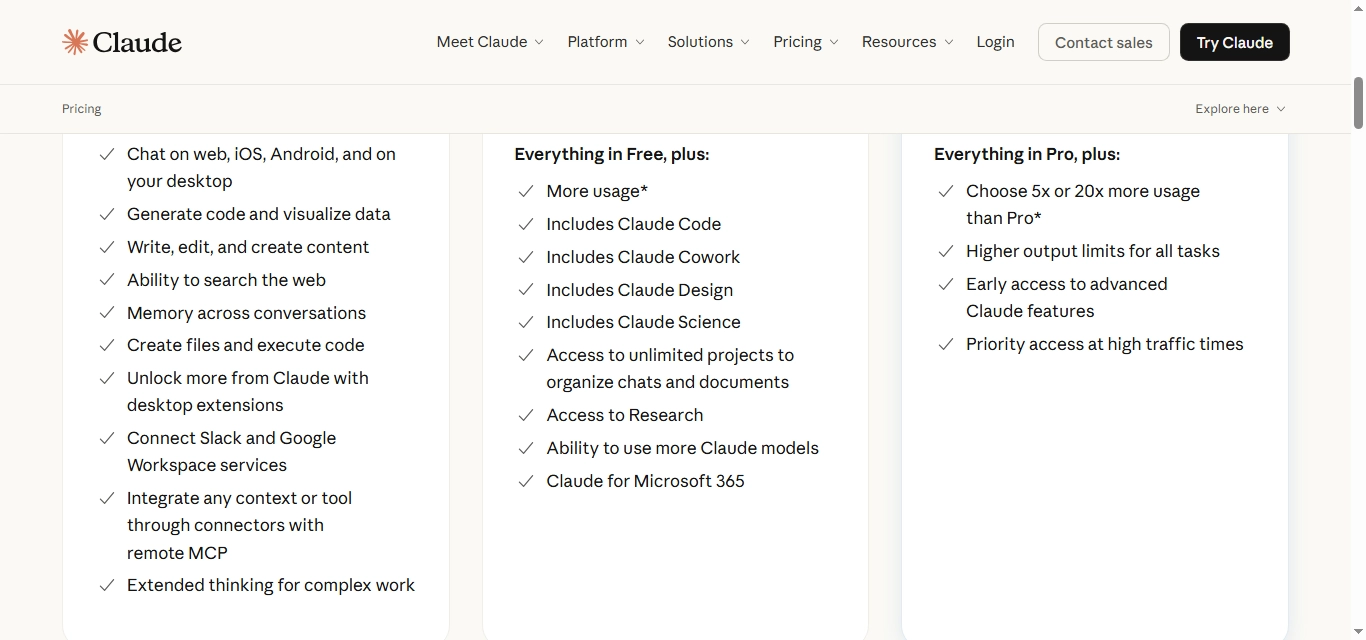
- Usage limits. This is the main difference. Anthropic states Pro gives you at least 5 times the usage per session compared to Free during peak hours — the exact daily message count on Free isn’t published and adjusts with demand, but it’s noticeably tighter than Pro’s.
-
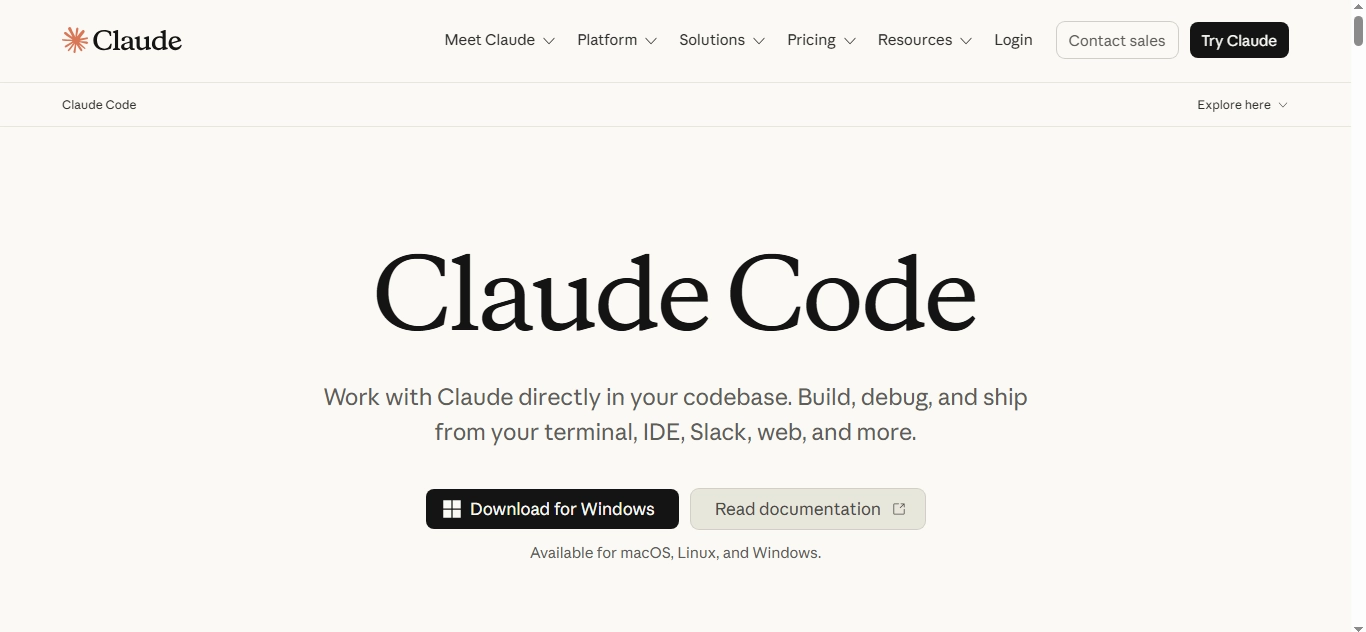
Claude Code and Claude Cowork.
Pro unlocks full access to Claude Code (for coding in your terminal or IDE) and Claude Cowork (for multi-step, agentic tasks). Free’s access to these is limited to non-existent, depending on current rollout.
- Claude Design, Claude Science, and Research. Pro also adds specialized tools on top of core chat: Claude Design for visual and creative work, Claude Science for research-heavy tasks, and access to Claude’s Research mode for deeper, multi-step lookups. None of these are available on Free.
- Access to more Claude models. Pro lets you switch between more models in the lineup, including Opus for harder tasks, instead of being limited to the Sonnet 5 default both plans start on.
- File uploads. Both plans let you upload documents, but Pro raises the size and file-count ceiling well past what Free allows — useful if you’re regularly working with long PDFs, reports, or spreadsheets.
- Priority during busy periods. Free users get placed behind paid users when traffic spikes. Pro users see fewer slowdowns and interruptions during peak hours.
- Projects and organization. Both plans support Projects for organizing related chats and files, though Pro’s higher usage limits make it more practical for ongoing, multi-session work.
What’s not different anymore: raw model intelligence for everyday writing, research, and analysis. If your work fits comfortably inside Free’s usage cap, you’re getting the same underlying model as Pro subscribers.
Where I’ve actually felt the gap: uploading a long client document for a first pass, then going back and forth refining it over a dozen follow-up messages in the same afternoon. On Free, that kind of session is exactly when you’re most likely to hit the cap mid-task, usually right when you’re close to finishing. On Pro, I’ve never had that happen.
Claude Free vs Pro at a Glance
Claude Free Claude Pro
Cost $0 $20/mo ($17/mo annual)
Default model Claude Sonnet 5 Claude Sonnet 5
Usage limits Lower, adjusts with demand At least 5x Free per session
Claude Code / Cowork Limited or unavailable Full access
Design / Science / Research Not available Included
File uploads Smaller size/count limits Higher size/count limits
Peak-hour priority No Yes
Claude Pricing: What You Actually Pay
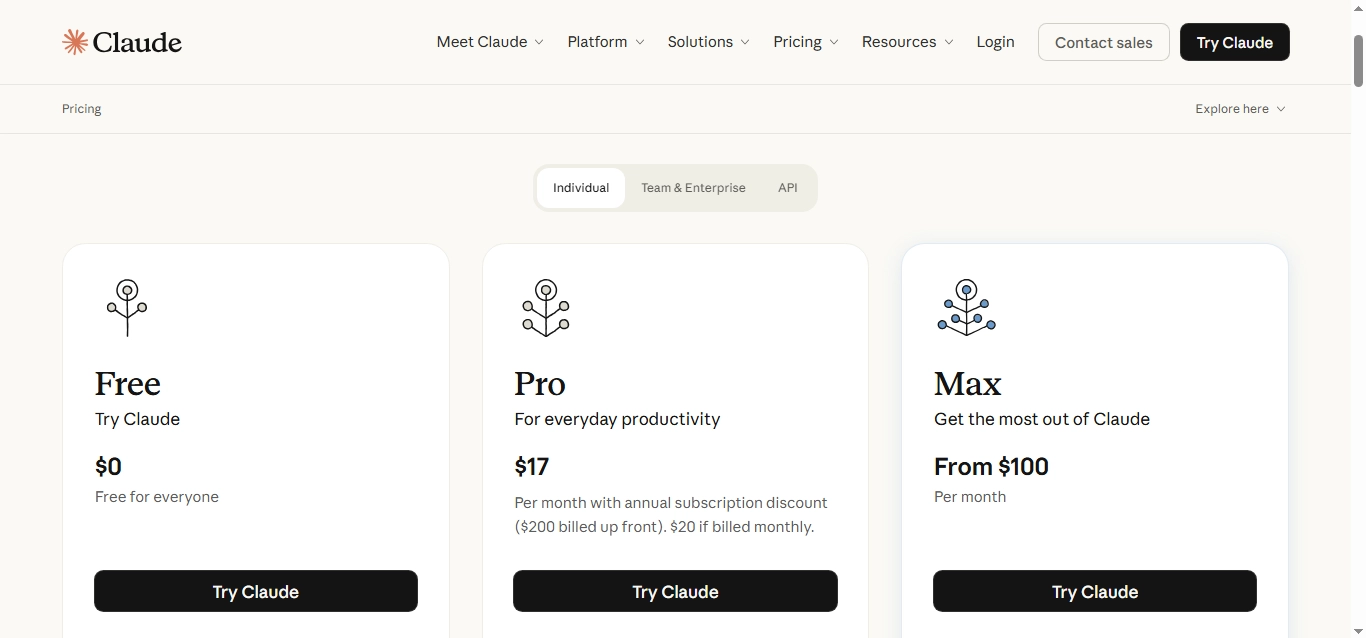
Claude pricing has more tiers than just Free and Pro, and knowing the full lineup helps you see where Pro sits:
- Free — $0, no credit card required. Sign up with an email address, Google, or Apple ID.
- Pro — $20/month billed monthly, or about $17/month if you pay annually ($200 upfront). This is the plan most individual users compare against Free.
- Max — $100/month or $200/month, for people who blow past Pro’s limits regularly. These add usage headroom, not new capabilities.
- Team — Starts around $25 per seat per month (billed monthly; less if billed annually), with a higher-tier seat option for teams that need more. Minimum of two members.
- Enterprise — Custom, per-seat pricing billed annually, with usage billed separately at API rates. Built for larger organizations needing SSO, audit logs, and compliance features.
Note: these are US prices as of writing Anthropic shows localized pricing in supported regions, and numbers do shift, so it’s worth checking claude.com/pricing before you commit either way.
If you need Claude inside your own app or workflow instead of the chat interface, that’s a separate, pay-per-token API product not something Free or Pro unlocks.
Claude Pro vs Max: When Even Pro Isn’t Enough
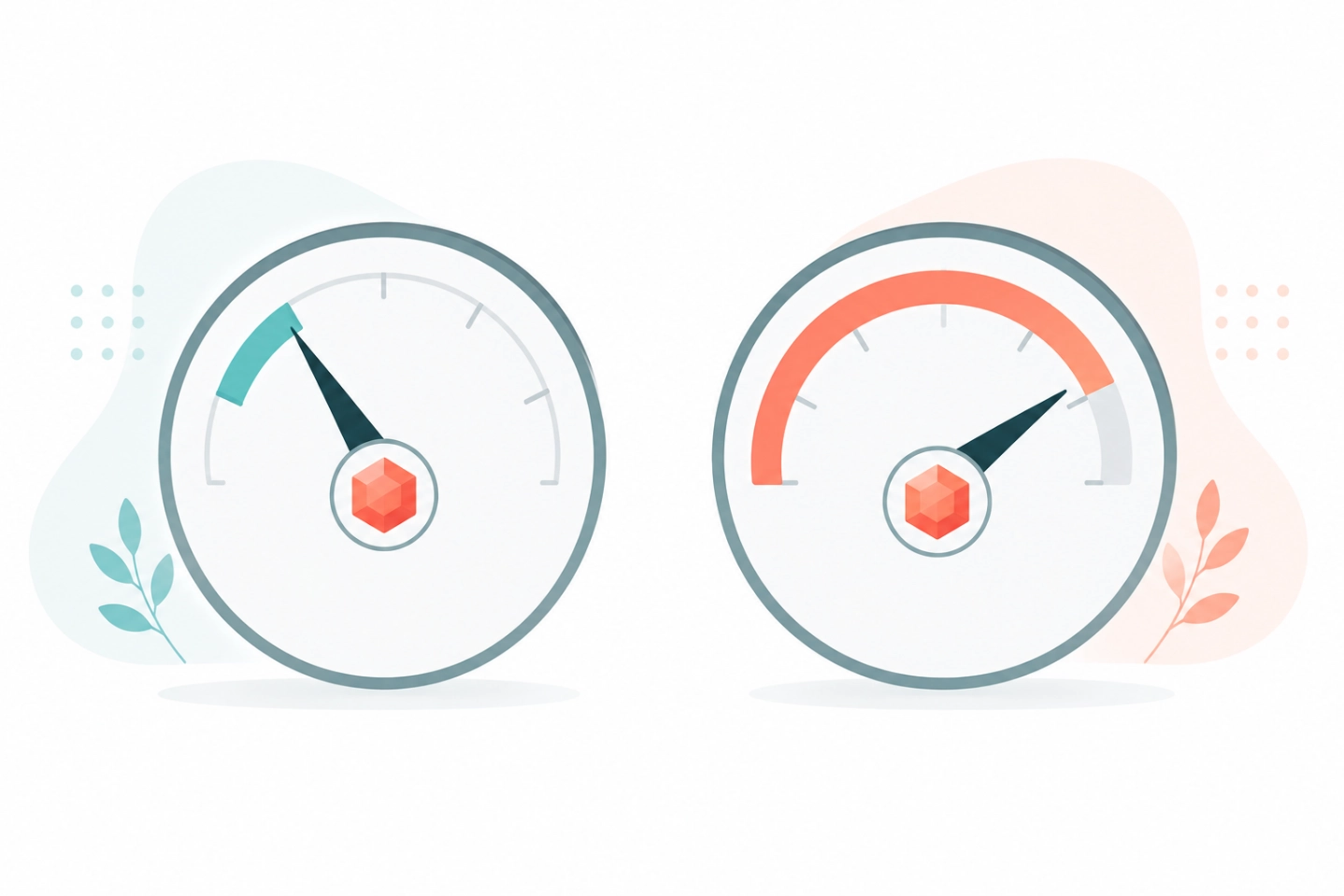
Pro covers most individual use cases, but if you’re using Claude for hours of coding or agentic work every single day, you can still hit its ceiling. That’s what Max is for it comes in two tiers, roughly 5 times and 20 times Pro’s usage allowance, at $100/month and $200/month respectively.
Max doesn’t unlock a different model or new features over Pro it’s purely more headroom. Most people never need it. If you’re not sure whether you would, the honest answer is: you’ll know, because you’ll be hitting Pro’s limits regularly instead of occasionally.
Who Should Stick with Claude Free
Free makes sense if:
- You use Claude a few times a week, not daily
- Your tasks are short — quick questions, brainstorming, light editing
- You don’t regularly need Claude Code or Cowork
- You’re still deciding whether Claude fits your workflow at all
There’s genuinely no downside to starting here. It’s a real, capable version of Claude, not a crippled trial. If most of what you do is asking one-off questions, drafting a quick email, or getting a second opinion on something you’ve already written, you likely won’t notice the cap most weeks.

Who Should Upgrade to Claude Pro
Pro is worth it if:
- You’re hitting Free’s usage cap regularly, especially during busy hours
- You want Claude Code or Cowork for coding or multi-step tasks
- You upload longer documents or work across multiple files per session
- Claude is part of your actual workflow, not just something you check occasionally
If you’re rate-limited more than once a week, the $20 (or $17 annual) usually pays for itself in time saved. That was true for me almost immediately — the annoyance of switching to a different tool mid-task, or waiting out a cooldown, cost more time than the subscription does.
Frequently Asked Questions
Can I switch between Claude Free and Pro anytime?
Yes. You can upgrade whenever you want, and it takes effect immediately. If you cancel Pro, you keep access until the end of your current billing period, then drop back to Free rather than losing access right away.
What’s the main difference between Claude Free and Claude Pro?
Usage limits, not model quality. Both plans currently default to the same model, Claude Sonnet 5. Pro gives you at least 5 times the usage per session, plus full access to Claude Code, Claude Cowork, Claude Design, Claude Science, and Research mode.
How much does Claude Pro cost?
Claude Pro is $20/month billed monthly, or about $17/month if billed annually ($200 upfront) for US customers. Pricing can vary by region.
Is Claude 3.5 Sonnet still available, or has it been replaced?
It’s been replaced. Claude 3.5
Sonnet was retired as Anthropic moved through newer model generations, and Free and Pro plans now default to Claude Sonnet 5. If a guide is still comparing plans around “3.5 Sonnet,” it’s out of date.
What happened to Claude 2?
Claude 2 was an early model generation that’s long since been retired in favor of newer ones. It’s not available on any current plan — Anthropic’s current lineup centers on Claude Sonnet 5, with Opus and Haiku tiers above and below it.
Does Claude Pro give you a smarter model than Free?
Not anymore. That was true in earlier versions of Claude’s pricing, where Free and Pro ran different models. Today, both default to the same model Pro’s advantage is usage capacity, priority access, and extra tools like Claude Code, Cowork, Design, Science, and Research. Pro also lets you switch to other models in the lineup, like Opus, instead of being limited to the Sonnet 5 default.
Final Verdict

Claude Free vs Pro isn’t really a question of “which model is better” anymore — it’s “how much Claude do you actually need, and do you want the extra tools.” If you’re an occasional user, Free will cover you fine. If you’re hitting limits, need Claude Code, or work with documents constantly, the upgrade is straightforward: same model, a lot more room to use it.
Start on Free, pay attention to whether you’re hitting the usage cap, and upgrade the moment it starts costing you more time than the subscription would.