Best AI Coding Tools in 2026: 10 Picks Compared for Real Developer Workflows

Choosing among the best AI coding tools is harder than it looks. One assistant may produce excellent inline completions but struggle to understand a large repository. Another may edit 20 files at once yet use credits quickly. A browser-based app builder can take a plain-English idea to a working prototype, but it is a different kind of coding tool from an editor plug-in.
The right choice depends on your editor, languages, security requirements, and how much control you want the AI to have.
This guide compares ten options for U.S. readers in 2026. I focus on project context, multi-file editing, debugging, editor support, pricing, and limitations.
Quick answer: Cursor is my strongest all-around pick for developers who want an AI-first editor and multi-file agents. GitHub Copilot is the safer choice for teams already standardized on GitHub, VS Code, Visual Studio, or JetBrains. Claude Code is compelling for terminal-driven work and deep code review. Replit, Bolt.new, and Lovable make the most sense when the goal is to turn an idea into a web app quickly.
Quick Comparison: The 10 Best AI Coding Tools
<tr>Cursor</td>AI-first IDE & multi-file changesCursor editor (VS Code-based)Composer, agents, cloud agents, BugbotHobby free; Pro $20/mo; Teams $40/user/mo
| Tool | Best For | Editor / Environment | Agent & Project Strengths | U.S. Pricing Snapshot |
|---|---|---|---|---|
| GitHub Copilot | Mainstream coding & GitHub workflows | VS Code, Visual Studio, JetBrains, Xcode, Neovim, CLI | Agent mode, cloud agent, code review, PRs | Free; Pro $10/mo; Pro+ $39/mo; Max $100/mo |
| Claude Code | Terminal development & review | Terminal, IDE integrations, web | Reads repo, runs commands, edits files, tests | Included with Claude Pro ($20/mo); Max from $100/mo |
| Windsurf / Devin | Agentic development, long tasks | Devin Desktop/CLI (Windsurf lineage) | Cloud & local agents, multi-session work | Free; Pro $20/mo; Max $200/mo; Team $80/mo + seats |
| Replit Agent | Browser prototypes & learning | Replit workspace | Generates, runs, deploys apps in one place | Free tier; credit/effort-based paid plans |
| Bolt.new | Fast web apps with hosting | Browser | Prompt-to-app, file sync, hosting, database | Free; Pro $25/mo; Teams $30/member/mo |
| Lovable | Prototypes for non-devs & teams | Browser | Chat-based building, shared workspace credits | Free daily credits; credit-based Pro/Business |
| Amazon Q Developer | AWS, Java/.NET modernization | IDE plug-ins, CLI, AWS console | Agentic coding, error diagnosis (sunsetting — see note) | Free; Pro $19/user/mo |
| Gemini Code Assist | Google Cloud, multi-IDE dev | VS Code, JetBrains, Android Studio, Cloud Shell | Completion, chat, smart actions (see Antigravity note) | Standard/Enterprise editions; contract pricing |
| Tabnine | Private, governed enterprise use | Major IDEs, private deployments | Codebase chat, completions, provenance | Code Assistant $39/user/mo; Agentic $59/user/mo |
How AI Coding Tools Work — and How I Compare Them
Most AI coding software combines four layers. Completion predicts the next line or function while you type. Chat explains code, drafts tests, and answers questions about an open file. Editing applies a requested change across one or more files. Agents plan a task, use tools such as a terminal or browser, run tests, inspect errors, and return a diff for you to review.

The quality difference usually comes from context. Repository indexing, imports, documentation, and project rules matter more than seeing one function. Larger context also consumes more tokens or credits.
When I evaluate an AI pair programmer, I ask five practical questions:
- Can it make a safe change?
I want a readable diff, tests, and an easy way to undo the result. - Can it understand the project?
Multi-file awareness is essential for authentication, database migrations, API contracts, and UI state. - Can I control it?
Permission prompts, ignore files, model selection, privacy mode, and command approval are valuable guardrails. - Does it fit my editor?
A brilliant tool that interrupts an established VS Code or JetBrains workflow may reduce productivity. - Does the price match usage?
“Unlimited” often means unlimited basic completions, while premium models, agent calls, or cloud execution use a separate allowance.
Every pricing figure and product change in this guide is cross-checked against the vendor’s own documentation and, where the fine print gets messy, against how developers describe using the tool day to day on Reddit, GitHub, and G2. That’s a deliberate standard, not a shortcut: pricing and product status in this category change too fast to trust a single vendor page, and several of the tools below have shifted their billing model two or three times in 2026 alone. What you won’t find here is a claim dressed up as a personal test that never happened — where a detail needs your own hands-on verification against your specific repository, I’ve said so directly instead.
Top 10 Best AI Coding Tools in 2026
1. GitHub Copilot (Best Default for Most Professional Teams)
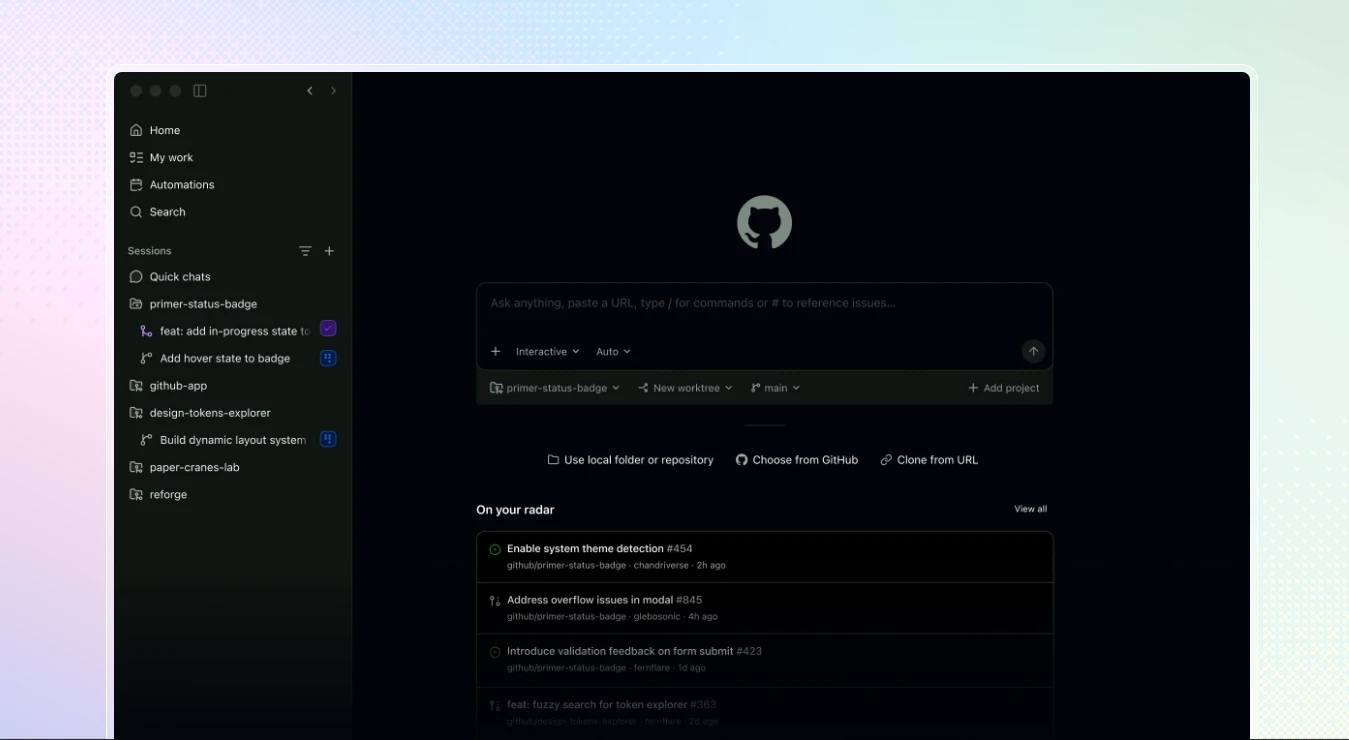
GitHub Copilot is the easiest recommendation when your code already lives in GitHub and your team uses a mainstream IDE. It supports VS Code, Visual Studio, JetBrains IDEs, Xcode, Neovim, Eclipse, GitHub, and the CLI, making it a practical AI coding assistant for VS Code and mixed-language teams.
Copilot handles inline suggestions, chat, next-edit suggestions, tests, explanations, and refactoring. Its current plans add agent mode, code review, and a cloud agent that can work from an issue and open a pull request. GitHub’s plans page lists Free with 2,000 completions per month, Pro at $10 per user per month, Pro+ at $39, and Max at $100.
One detail worth knowing that doesn’t show up on the pricing page itself: GitHub’s June 2026 move to credit-based billing actually made the included allowance more generous than the sticker price implies — the $10 Pro plan currently unlocks $15 of usable AI Credits, and Pro+ at $39 unlocks $70. It’s a rare case of a pricing overhaul working in the buyer’s favor, at least for now.
Strengths: broad editor support, GitHub-native reviews, easy onboarding, model choice, and a useful free tier.
Limitations: advanced agents require paid plans, credit accounting takes attention, and repository context depends on your setup.
I’d choose it when: you want dependable completion and code review without leaving VS Code, Visual Studio, JetBrains, or GitHub.
2. Cursor (Best AI-First IDE for Multi-File Editing)
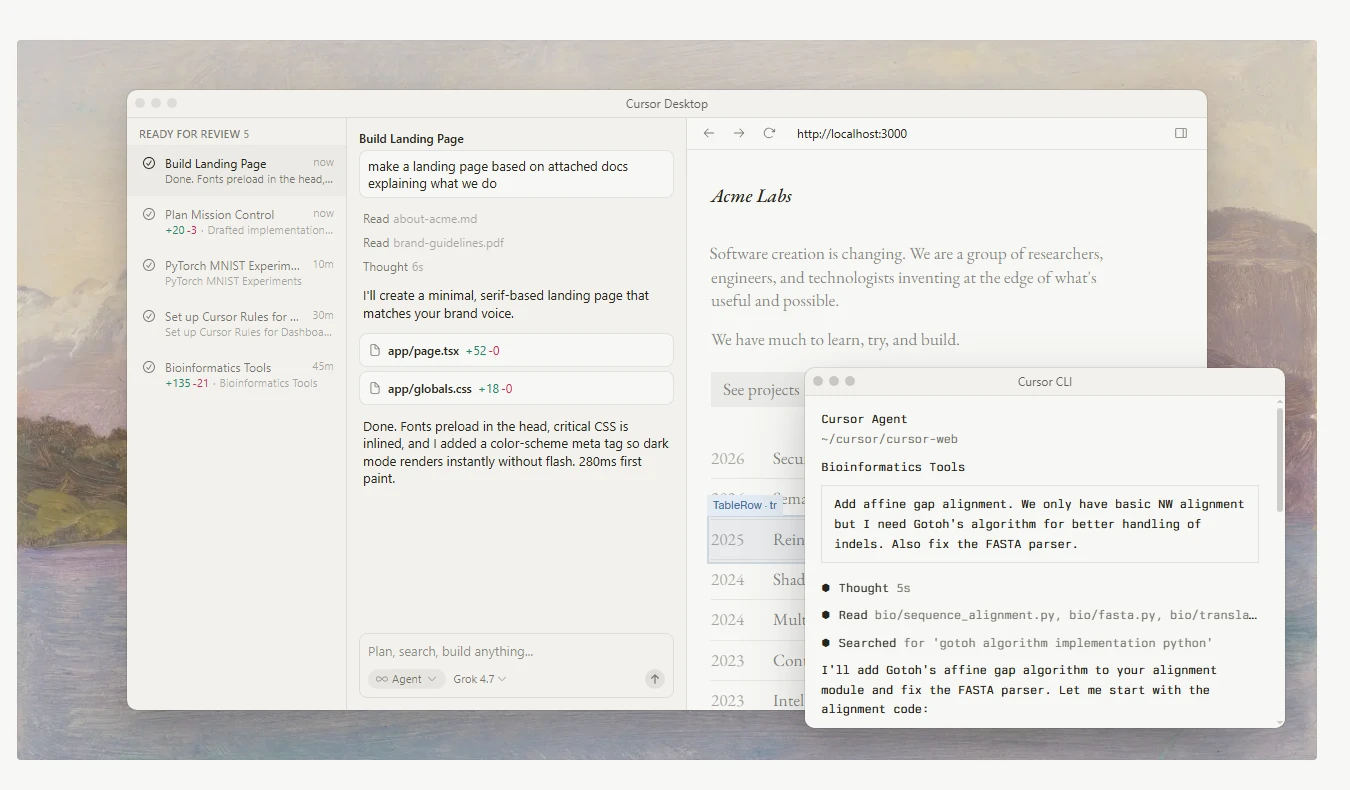
Cursor is a VS Code-based editor built around AI interaction. Its main advantage is project context: you can ask an agent to trace a bug, update related files, generate tests, or refactor a component while reviewing a diff.
The current pricing page lists a free Hobby plan, Pro at $20 per month, Teams at $40 per user per month, and custom Enterprise pricing. Paid plans include extended agent limits, frontier models, MCPs, skills, hooks, cloud agents, and Bugbot code review. The familiar extension ecosystem makes switching easier for VS Code users.
Cursor’s pricing has actually been a genuine flashpoint, not just a comparison-chart footnote. A June 2025 shift from a flat 500-request model to a credit-based system effectively cut the practical request count at the $20 tier by more than half, prompting a public apology from Cursor’s CEO and a documented wave of developers trying Windsurf instead. Then in June 2026, SpaceX agreed to acquire Cursor’s parent company, Anysphere, for roughly $60 billion in stock — reportedly the largest startup acquisition on record. Whatever the billing turbulence in between, that outcome suggests the product itself kept its market position.
Strengths: AI-native workflow, multi-file edits, model choice, Composer, agents, and cloud hand-off.
Limitations: usage-based billing can add cost, the interface can feel busy, and privacy settings need careful configuration.
I’d choose it when: you want the best AI IDE in 2026 for feature work across a real repository.
3. Claude Code (Best Terminal Agent and Code Reviewer)
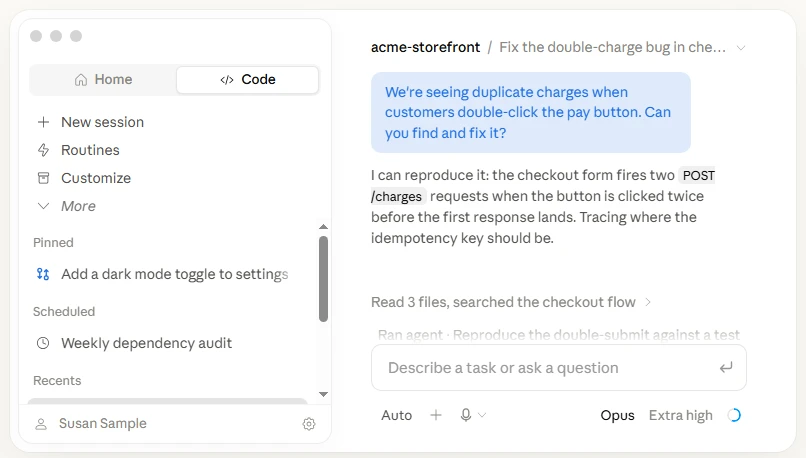
Claude Code brings Anthropic’s Claude models into a terminal workflow. It can inspect a repository, explain architecture, edit files, run commands, execute tests, and diagnose failures. Developers who prefer Git worktrees and explicit diffs often find this more natural than an editor chat panel.
Claude’s current pricing page includes Claude Code with Pro: $20 per month monthly or an annual equivalent of $17 per month ($200 billed up front). Max starts at $100 per month with higher usage, and team and enterprise plans add administration and security controls.
Its best use is careful review, debugging, and migration planning rather than blind code generation. For a Claude Code review, I would still require a human to inspect security-sensitive changes and run project checks.
Strengths: terminal control, clear explanations, large context options, code execution, and strong debugging conversations.
Limitations: long sessions can hit usage limits, and it assumes terminal comfort.
I’d choose it when: your workflow is Git-heavy, test-driven, and command-line oriented.
4. Windsurf / Devin (Agentic Workflows After a Major Product Transition)
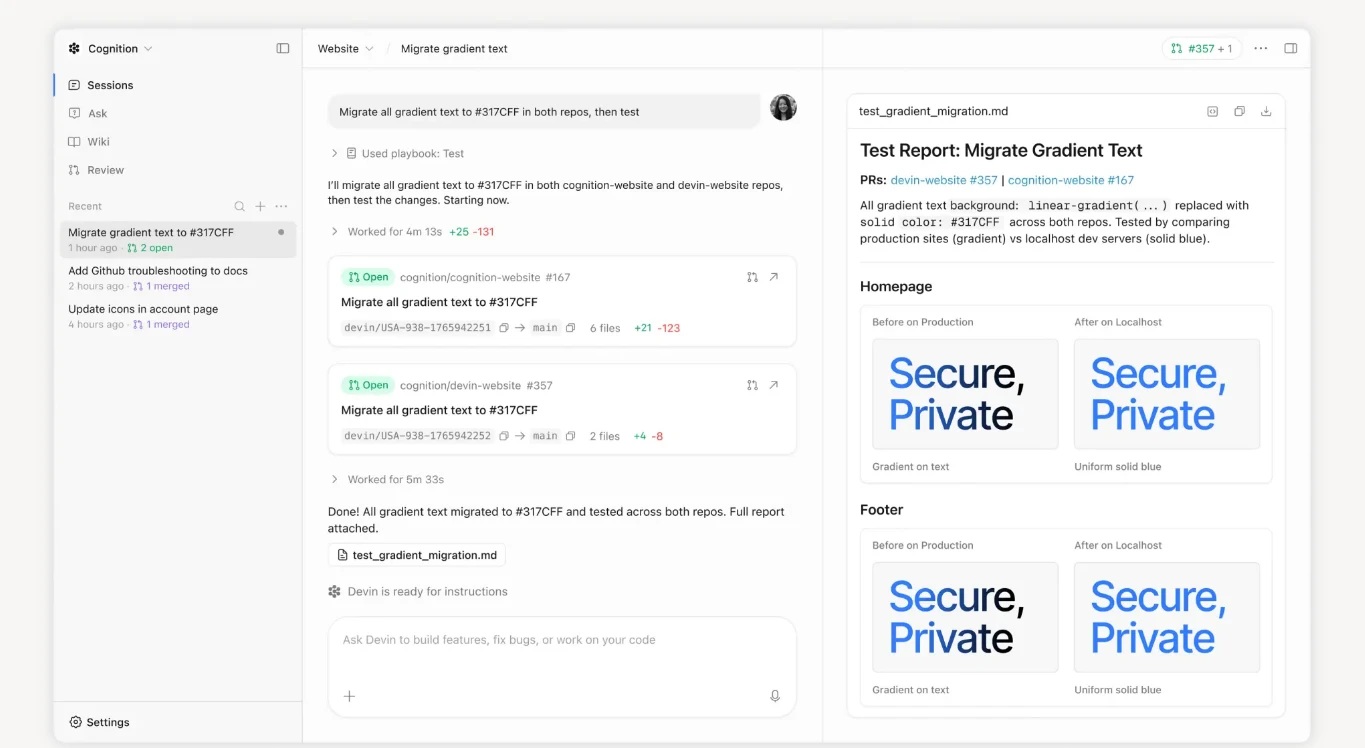
Windsurf is still a common search term, but its product story changed. Cognition acquired Windsurf, and the Windsurf site now routes visitors to Devin. Check the current Devin Desktop and CLI experience before trusting an older Windsurf review or price screenshot.
The current Devin page lists Free, Pro at $20 per month, Max at $200, Team at $80 per month plus $40 per full user, and custom Enterprise pricing. Devin emphasizes local and cloud agents, multi-session work, repository knowledge, and GitHub, GitLab, Bitbucket, Linear, Jira, Slack, and Teams integrations. The former Windsurf/Cascade lineage matters for an agentic editor comparison, but naming and availability may keep changing.
Strengths: autonomous sessions, ticket collaboration, repository memory, and long-running tasks.
Limitations: the transition creates documentation confusion, autonomous work still needs review, and Max is expensive for casual use.
I’d choose it when: you manage multi-repo work or can delegate a well-defined issue while you work elsewhere.
5. Replit Agent (Best for Beginners and Browser-Based Full-Stack Prototypes)
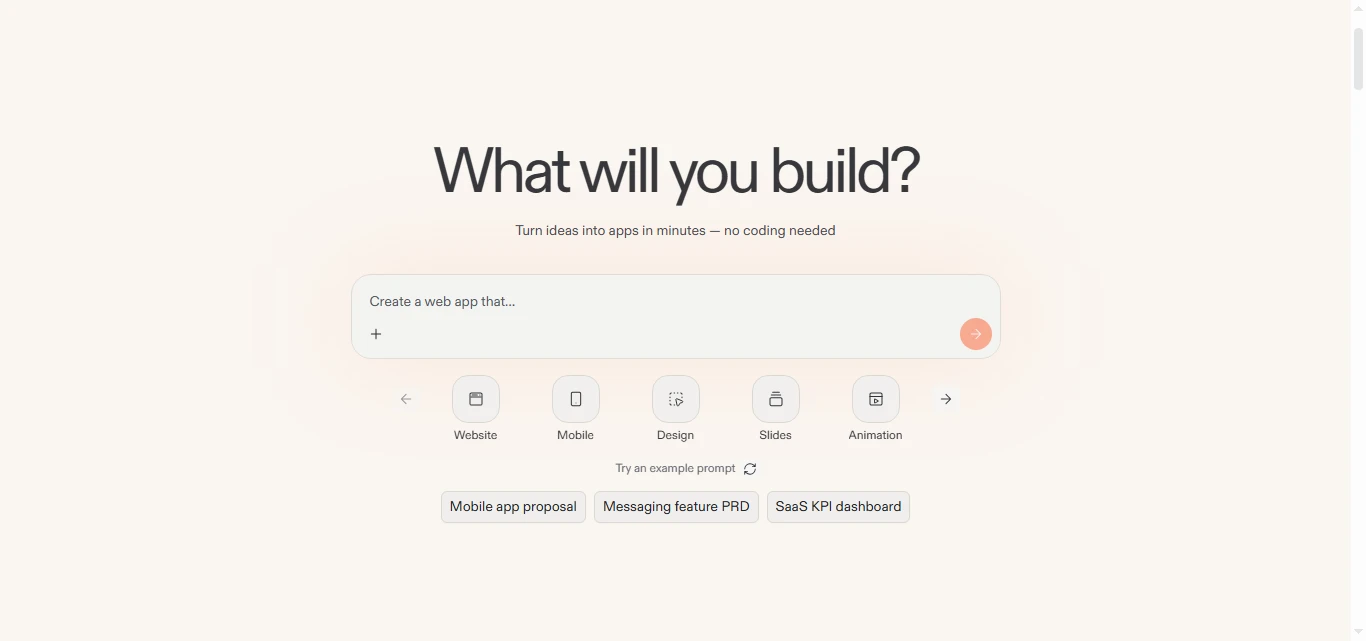
Replit combines an online IDE, runtime, hosting, databases, and an AI agent in one browser workspace. You can describe a small app, inspect the generated files, run it, and share a live result without configuring a local toolchain. That makes it one of the most approachable AI coding tools for beginners.
Replit’s current pricing page uses free and paid plans with monthly or yearly billing, credits, and effort-based pricing. It warns that Agent is probabilistic and can make mistakes, then points users to billing documentation for credit behavior. Because the public page does not expose one stable amount in its rendered content, verify the plan and included credits in your account.
Strengths: no setup, integrated deployment, approachable learning loop, and quick web prototypes.
Limitations: credit use is difficult to predict, generated apps need security review, and local IDEs remain more flexible for mature projects.
I’d choose it when: you are learning Python or JavaScript, validating an idea, or need a hosted demo quickly.
6. Bolt.new (Best Prompt-to-Web-App Builder with Transparent Token Limits)
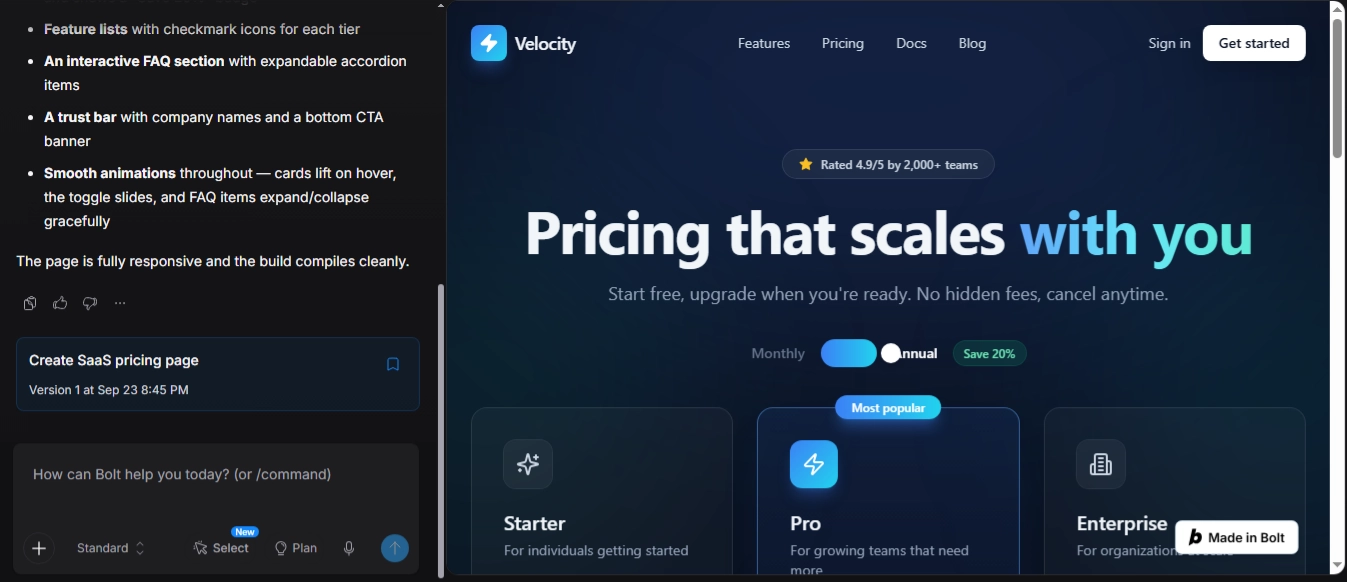
Bolt.new builds web applications from natural-language instructions in the browser. It syncs the project file system to the AI, edits multiple files, and can provide hosting, databases, custom domains, and SEO-oriented features. It is closer to an AI app builder than a traditional AI code completion tool, but exported code can become a normal development starting point.
Bolt’s official pricing page lists Free with a 300,000-token daily limit and 1 million tokens per month. Pro is $25 per month billed monthly, with no daily token limit, at least 10 million tokens per month, custom domains, database options, and no branding. Teams is $30 per member per month; Enterprise is custom.
Strengths: fast UI and full-stack prototypes, visible file changes, hosting, and clear limits.
Limitations: large projects consume more tokens, generated auth needs review, and deep debugging is easier in an IDE.
I’d choose it when: you need a polished web prototype, dashboard, or marketing site quickly.
7. Lovable (Best for Conversational Product Prototypes and Shared Workspaces)
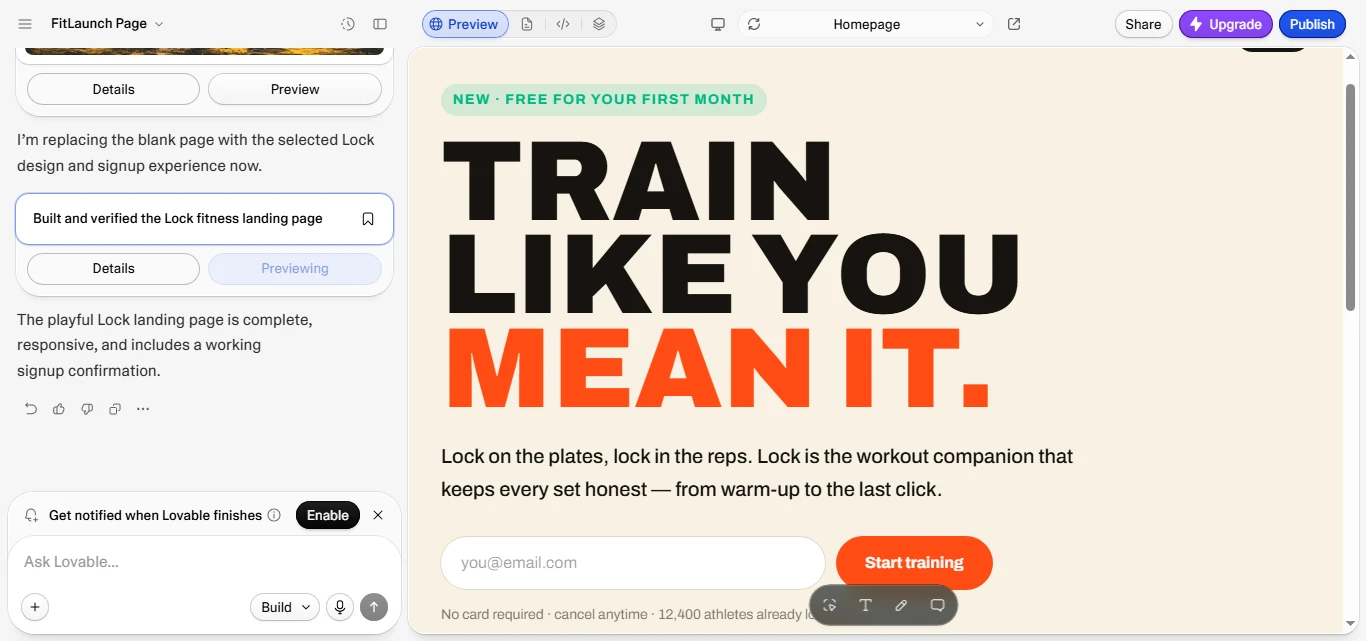
Lovable describes itself as an AI software engineer for building websites and web apps through chat. It suits founders, designers, and product teams iterating on screens, authentication flows, and simple data-backed features without starting from a blank repository.
Lovable uses credits for building, Cloud hosting, and AI features inside deployed apps. The free plan includes five build credits per day (up to 30 per month), 20 monthly Cloud credits, and a small AI-feature grant. Paid Pro and Business subscriptions add credit balances and grants; the official page does not show one stable public dollar amount in its plan section, so verify the current figure. Workspaces are priced by credits rather than seats.
Strengths: conversational iteration, fast UI changes, shared workspaces, and a simple path to a deployed prototype.
Limitations: credit consumption varies by complexity, code quality depends on requirements, and production teams may outgrow the workflow.
I’d choose it when: a product team needs a working concept that a developer can later harden.
8. Amazon Q Developer (Best for AWS and Enterprise Modernization)
Amazon Q Developer is the strongest fit here for organizations invested in AWS. It works in IDE plug-ins and the CLI, answers AWS questions, diagnoses common console errors, provides code suggestions, and supports agentic coding. AWS also highlights Java and .NET transformation for older applications.
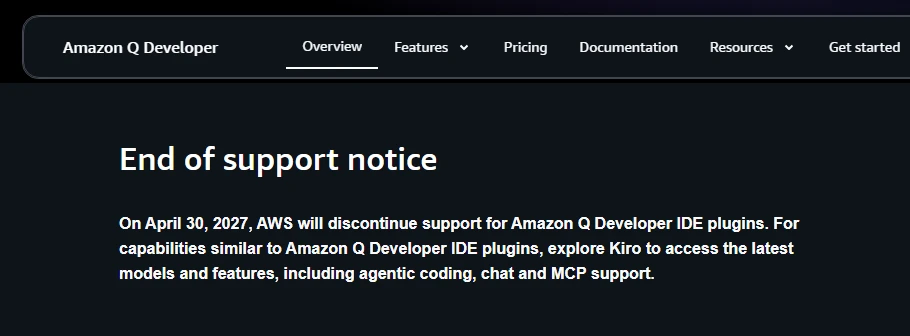
Worth flagging clearly before you recommend it: AWS has announced that Q Developer’s IDE plugins and paid subscriptions will reach end of support on April 30, 2027, with new signups already blocked as of May 15, 2026. AWS is steering both new and existing users toward Kiro, a newer spec-driven agentic IDE built on Bedrock. Teams evaluating this space fresh should look at Kiro directly rather than adopting a product with a published shutdown date.
AWS lists a Free tier with 50 agentic requests per month and 1,000 lines of Java transformation per month. Pro is $19 per user per month and adds higher limits, Identity Center administration, dashboards, and IP indemnity. Reference tracking and public-code suggestion controls are available in both tiers.
Strengths: AWS context, Java/.NET modernization, CLI and IDE access, security controls, and administration.
Limitations: value is highest in an AWS stack, quotas matter for agent work, and non-AWS teams may prefer a neutral assistant.
I’d choose it when: you maintain AWS infrastructure or have a governed modernization program.
9. Gemini Code Assist (Best for Google Cloud and Multi-IDE Coverage)
Gemini Code Assist provides completion, generation, chat, and smart actions in VS Code, JetBrains IDEs such as IntelliJ and PyCharm, Android Studio, Cloud Shell Editor, and Cloud Workstations. It is a practical choice for Python, Android, and Google Cloud teams that want one assistant across several environments.
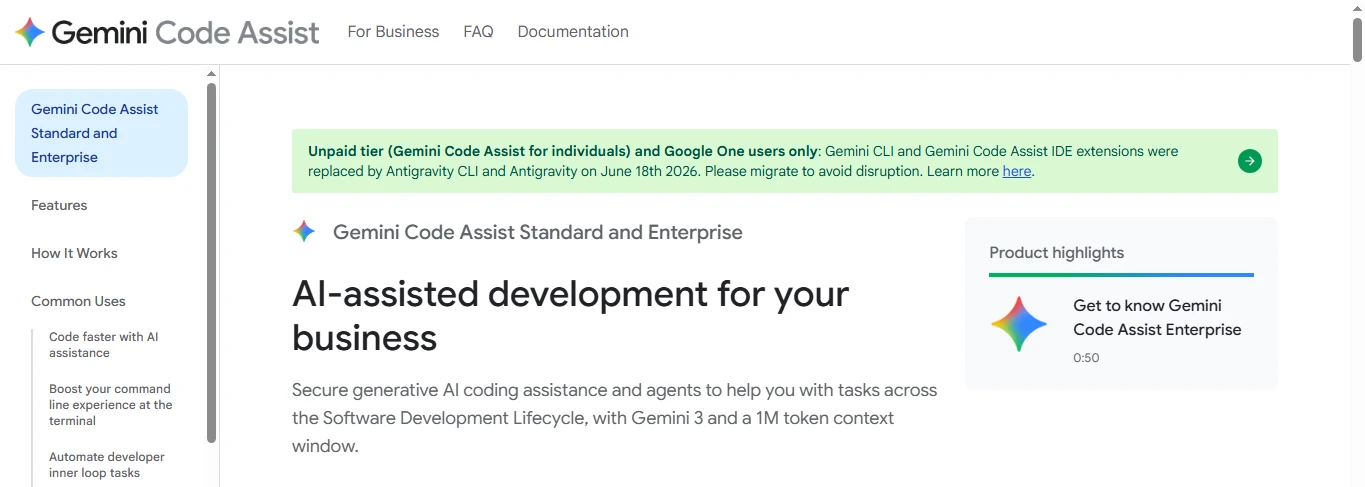
One change worth knowing about: Google phased out Gemini CLI and the free, individual tier of the Gemini Code Assist IDE extension in mid-2026, replacing them with Antigravity, Google’s newer agent-first IDE. Gemini Code Assist itself hasn’t gone away, but it’s now primarily a paid Standard or Enterprise offering through Google Cloud rather than a free extension for solo developers.
Google’s documentation separates Standard and Enterprise capabilities. Core IDE assistance is joined by enterprise knowledge, agentic workflows using tools and Model Context Protocol, and additional governance in higher editions. Pricing varies by edition and agreement, so use the current Google Cloud page or your quote instead of copying an old number.
Strengths: Google Cloud integration, broad IDE support, Android and Python coverage, and enterprise codebase context.
Limitations: edition entitlements can be confusing, advanced features may require a Google Cloud relationship, and model behavior changes as Gemini versions evolve.
I’d choose it when: your team lives in Google Cloud or needs VS Code plus JetBrains coverage.
10. Tabnine (Best for Privacy-Conscious Enterprise Teams)
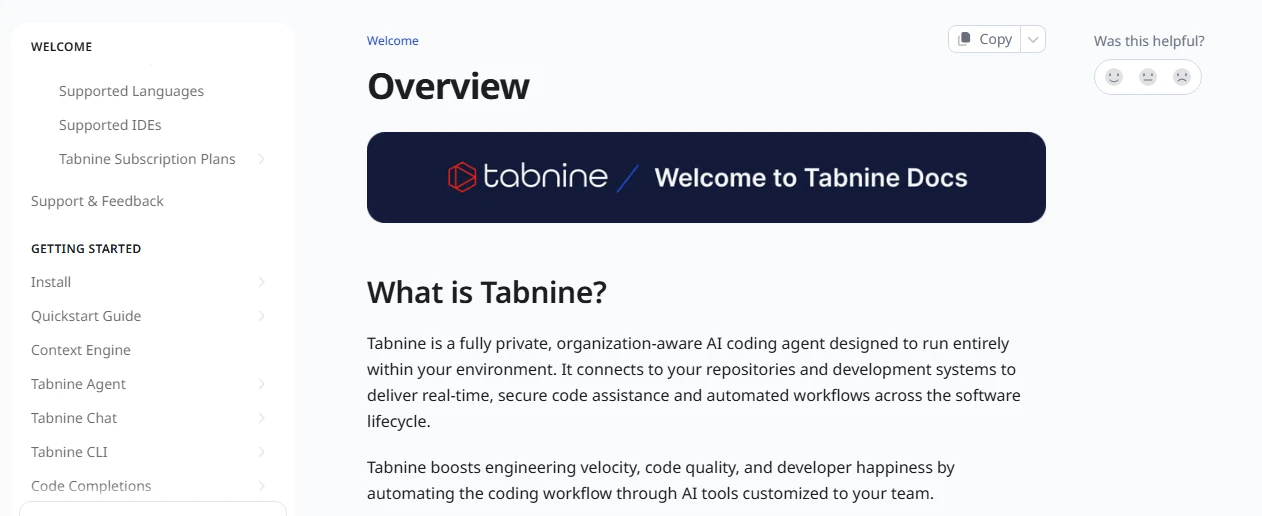
Tabnine focuses on governed assistance: line and multi-line completions, codebase-grounded chat, refactoring help, Jira context, provenance, and major IDE integrations. It offers SaaS, VPC, on-premises, and air-gapped deployment options.
The current pricing page lists Code Assistant at $39 per user per month on an annual subscription and the Agentic Platform at $59 per user per month annually. The agentic tier adds workflows and a Context Engine for architecture, dependencies, and organizational standards. Tabnine says private deployments can provide zero code retention and let customers control model access.
Worth knowing: Tricentis announced its acquisition of Tabnine on July 30, 2026, and says it will integrate Tabnine’s Enterprise Context Engine into its Agentic Quality Engineering Platform, so check the product roadmap before committing to a long contract.
Strengths: deployment flexibility, privacy, governance, provenance, and multiple model providers.
Limitations: annual per-user cost is higher than many individual tools, and the product is designed for organizations rather than hobbyists.
I’d choose it when: source-code control, auditability, or air-gapped deployment matters most.
Which Tool Fits Your Workflow?

Beginners and free users
Start with GitHub Copilot Free, Replit’s free tier, Bolt’s free plan, or Lovable’s free credits. Copilot teaches editor habits; Replit removes setup; Bolt and Lovable show how a web app fits together. Treat generated code as a lesson and review every file.
Python, data science, and VS Code
For Python scripts and notebooks, Copilot, Cursor, Gemini Code Assist, and Replit are sensible starting points. Cursor is better when a change spans modules; Copilot is easier inside VS Code; Gemini fits Google Cloud notebooks. Ask the assistant to explain assumptions, test data transformations, and flag leakage or reproducibility risks.
Web and full-stack development
Bolt.new and Lovable are fastest for a browser prototype. Replit is stronger when you want the app to run and deploy in one workspace. Cursor or Copilot becomes the better long-term home once you have CI, custom backend requirements, and a serious repository.
Enterprise teams
Amazon Q Developer fits AWS-heavy organizations. Gemini Code Assist fits Google Cloud and Android estates. Tabnine is the privacy-first option for VPC, on-premises, or air-gapped deployment. GitHub Copilot Enterprise and Cursor Enterprise are worth comparing when GitHub is your source of truth.
Autonomous coding agents
Choose Claude Code, Cursor agents, Devin, or GitHub Copilot’s cloud agent when the task is a bounded issue with clear tests. “Add pagination to this endpoint, update the client, write tests, and show the diff” is safer than “build the whole product.”
GitHub Copilot vs Cursor
Choose Copilot for editor breadth, GitHub-native pull requests, and a lower entry price. Choose Cursor for an AI-first editor, deeper multi-file editing, and agent-focused workflows. The deciding factor is usually workflow fit rather than raw model quality.
Bolt.new vs Lovable
Bolt gives you clearer token, hosting, database, and file controls. Lovable feels more conversational and treats the workspace as a shared credit pool. Pick Bolt when you want to inspect project structure closely; pick Lovable when iteration and collaboration come first.
Tabnine vs Codeium
“Codeium” still appears in older comparisons. The brand and product landscape shifted as Windsurf and Cognition changed ownership. Compare current Tabnine plans with the current Windsurf/Devin offering, not a legacy Codeium feature list.
Pricing, Benchmarks, and Buyer Cautions
AI coding tools pricing is rarely a simple monthly number. Some subscriptions bundle basic completions but meter premium models. Others charge by tokens, agent requests, cloud execution, or effort-based credits. Team prices can exclude taxes, seats, storage, or overage usage. Keep a small usage log during your trial: number of agent tasks, average token or credit cost, time saved, and how often you had to repair the output.
For U.S. buyers, record the plan, billing interval, allowance, and date checked. Link to the official pricing page and add a visible “prices can change” note.
SWE-bench is useful context, not a buying verdict. The official benchmark evaluates whether an agent can resolve real GitHub issues, and the Verified split contains 500 human-filtered tasks. Scores depend on the model, scaffold, prompts, tools, and test environment. A tool with a high score may still be awkward in your IDE, expensive at your usage level, or weak on your private codebase. Look for reproducible evaluations and pair them with your own small acceptance test.
Are AI Coding Tools Worth It, and Can They Replace Programmers?
For many developers, yes—when the tool removes repetitive work without removing review. AI is especially useful for boilerplate, test scaffolding, API documentation, migration drafts, log analysis, and explaining unfamiliar code. The return is lower when you spend more time correcting generated code than writing a small change yourself.
AI coding tools do not remove the need for architecture, security review, debugging strategy, or accountability. They can produce plausible code with a subtle authorization bug. Treat them as a fast junior partner: give a narrow task, inspect the diff, run tests, and keep a human responsible.
FAQ: Best AI Coding Tools
What is the best AI tool for coding?
There is no universal winner. Cursor is my general recommendation for an AI-first IDE and multi-file agents. GitHub Copilot is the safer default for mainstream editors and GitHub. Claude Code is a strong terminal option, while Replit, Bolt.new, and Lovable suit browser-based app building.
Which AI coding assistant is most accurate?
<p dir=”ltr”>Accuracy depends on the task, model, repository context, and tests. Compare tools on representative work and measure accepted diffs, passing tests, and repair time instead of relying on one leaderboard number.
How do AI coding tools work?
They send your prompt and selected code context to a language model, then return completions, explanations, or edits. Agentic tools can search files, call a terminal, run tests, and iterate. Review permissions and data settings before allowing command execution.
Are AI coding tools worth paying for?
Pay when the tool saves more time than its subscription and usage costs. Free plans cover occasional completions; paid plans make more sense when you use codebase chat, premium models, agents, or code review each week.
Can AI replace programmers?
AI can automate parts of programming, but it does not remove the need for architecture, security review, debugging strategy, or accountability. Treat it as a fast junior partner: give it a narrow task, inspect the diff, run tests, and keep a human responsible for the result.
Final Recommendation
My recommendation is to choose by workflow first and model second. Try Copilot for broad editor and GitHub fit, Cursor for an AI-native IDE, Claude Code for terminal work, and Replit, Bolt.new, or Lovable for web prototypes. AWS, Google Cloud, and high-compliance teams should start with the vendor that already governs their code and identity systems. Run one realistic task, inspect the diff and tests, and keep the tool that makes work clearer and faster. Continue with the related reviews on Toolsworldai.